By default, when Apple's Finder application loads it shows the "All My Files" tab. I've found that in environments like ours with lots and lots of production files, this can make my machine suddenly and permanently dog slow.
Memory is like space on your desk. In this metaphor, Finder is taking up all my desk space and I don't have any room to work on anything else. Closing Finder does not release the memory, so it impacts the day to day.
I just researched a solution I wanted to share. If you open the "Activity Monitor" application, go to the Memory tab and see that Finder is using a ton of computer memory, consider applying this quick fix.
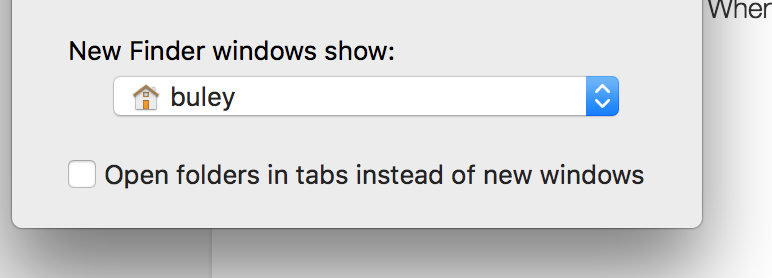
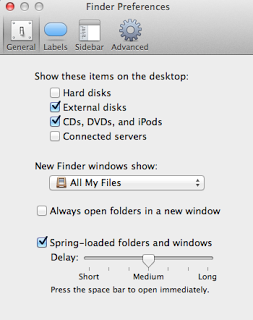
1. Click on the Finder icon
2. Finder menu->Preferences
3. Change "New Finder windows show" dropdown to anything except "All My Files"
4. Apple menu->Force Quit->Finder to restart it
0 Comments