This document will help you connect your Mac to the McNaughton VPN. The instructions are the same for each site, but you must use your specific site hostname for the server address. For example, nas.dailyrepublic.com for the DR, nas.davisenterprise.com and nas.mtdemocrat.net for the MD.
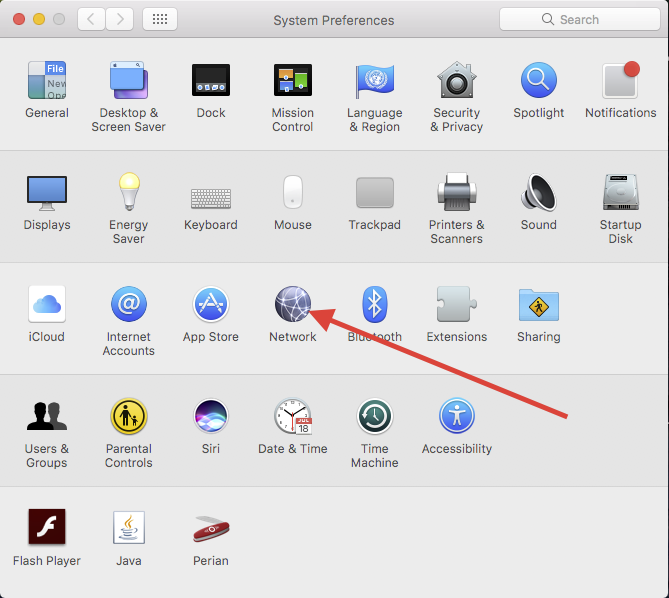
Open Systems Preferences and select Network.
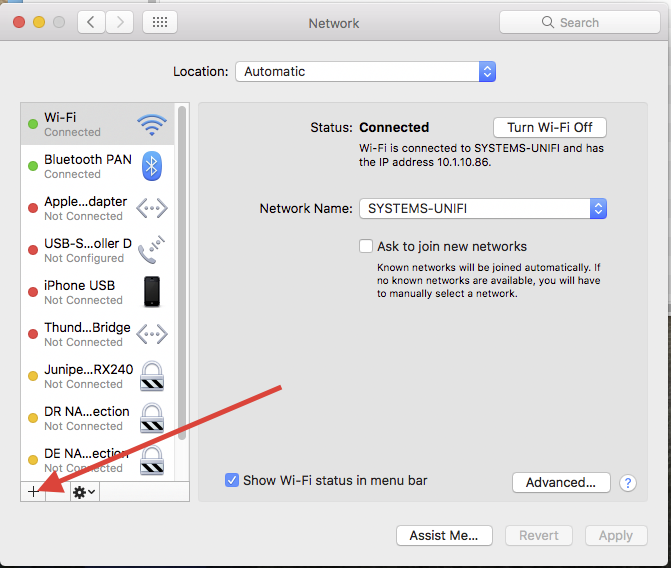
Click on the + icon at the bottom to add a connection.
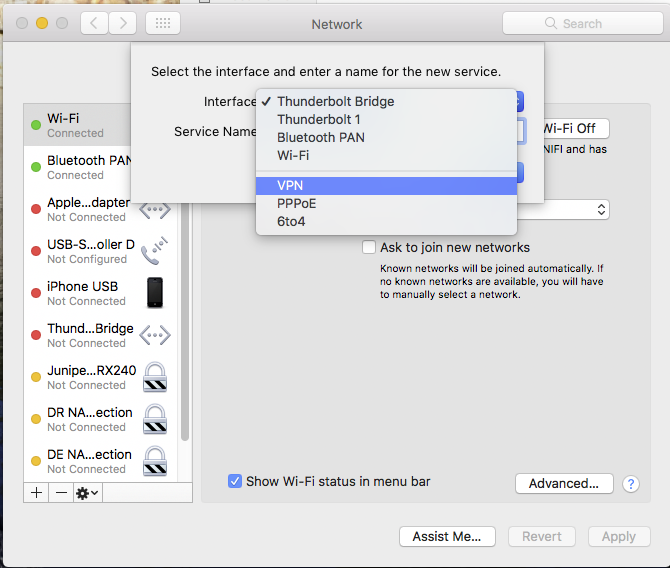
Select "VPN" for the Interface
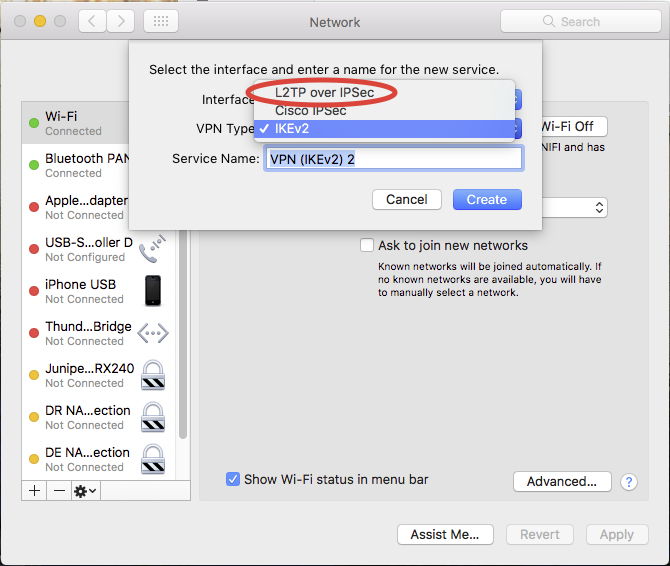
Select "L2TP over IPSec" for the VPN Type. You can name it whatever you like, but pick something you will recognize.
Next select "Add Configuration" from the Configuration box. Name the configuration something you will recognize such as DR VPN or MD VPN.
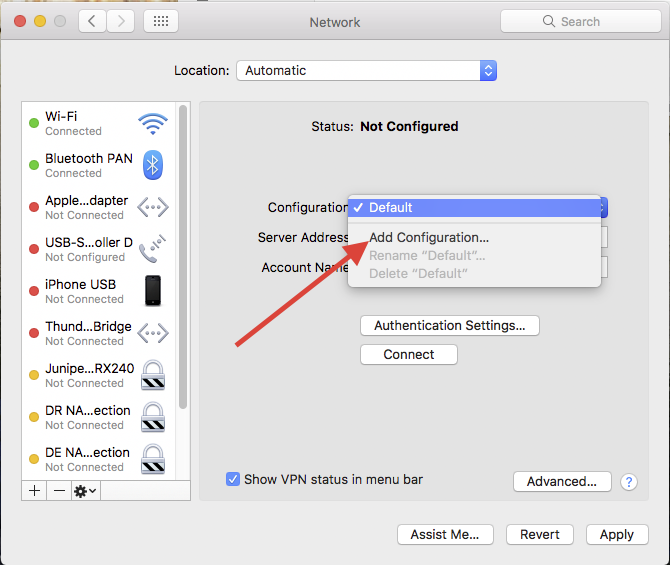
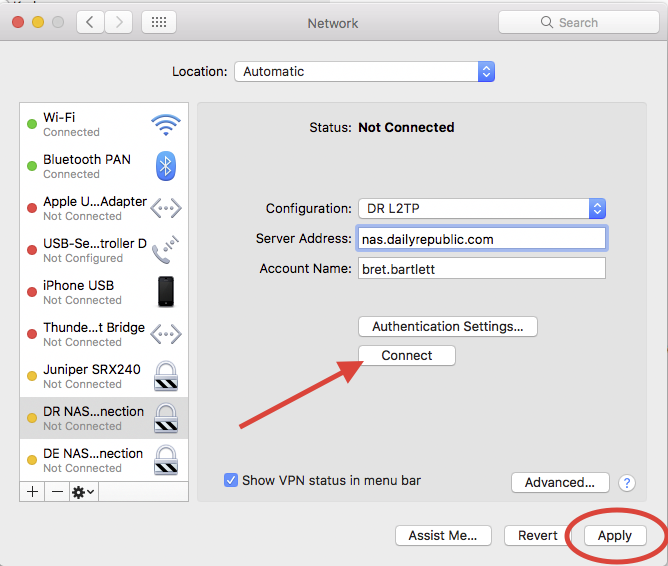
Fill in the appropriate information for the server address (depending on your site) and your account name (your username on the NAS.) The username is typically in a first.last format.
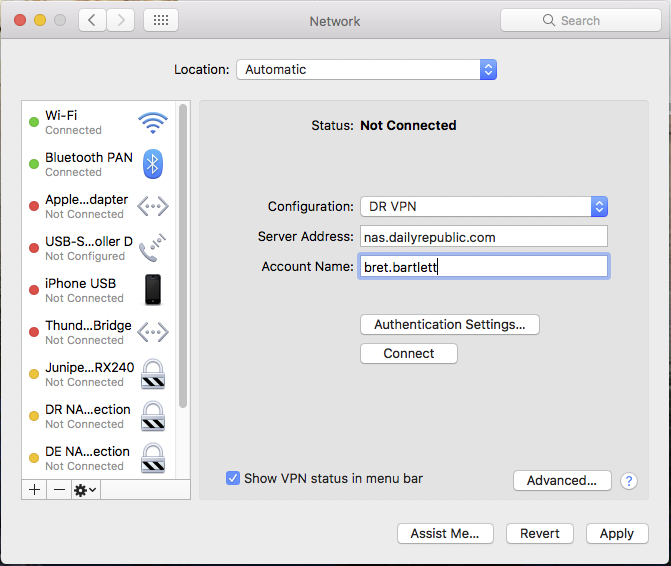
Click on the "Authentication Settings" button and place your NAS password in the "password" field, and the pre-shared password under the "Shared Secret" area. The Shared Secret is 2ndF=Fisk. Then hit "OK" to get back to the VPN Configuration screen.
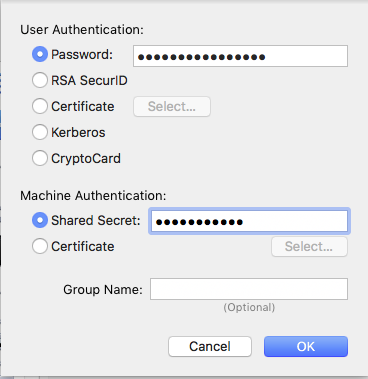
Click the "Advanced" button from the VPN Configuration screen and make sure the checkbox for "Send all traffic over VPN connection" is CHECKED. This checkbox must be checked for the VPN to work. Then click OK to get back to the VPN Configuration screen.
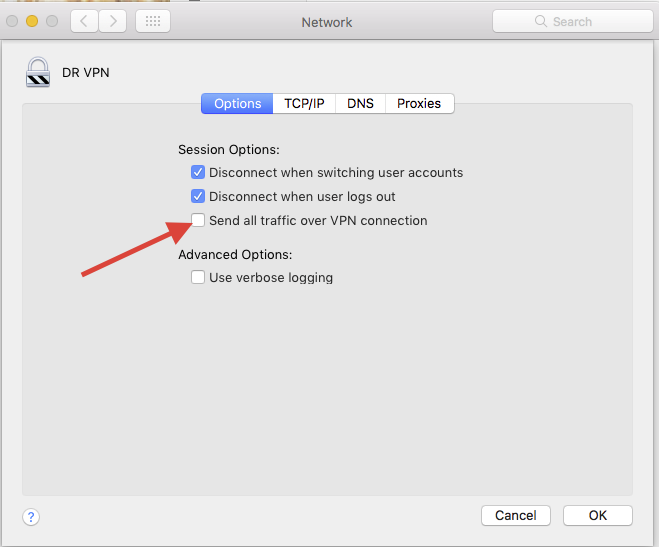
You can then hit "Apply" form the VPN Configuration screen and hit "Connect" to test the connection. Note that the connection will not work if you are on the company network already (ie. at the DR, DE or MD.) You must be offsite to test the connection.
****** PLEASE NOTE ******
When connecting to the VPN, you will not be able to access the local server at your local site from the normal address. You must use the VPN address of the NAS server at your site to access it through the VPN. See below for the VPN address of the server at your local site:
Daily Republic: smb://10.9.0.0/DR
Davis Enterprise: smb://10.6.0.0/DE
Mountain Democrat: smb://10.11.0.0/MD
0 Comments