If you forget your password to the NAS server at your site, you can easily reset the password by following the instructions below.
- NAS usernames follow the format of firstname.lastname. If you know your username, but forgot your password, it is easy to reset by using one of the following site specific links:
https://nas.dailyrepublic.com:7076
https://nas.davisenterprise.com:7076
https://nas.mtdemocrat.com:7076
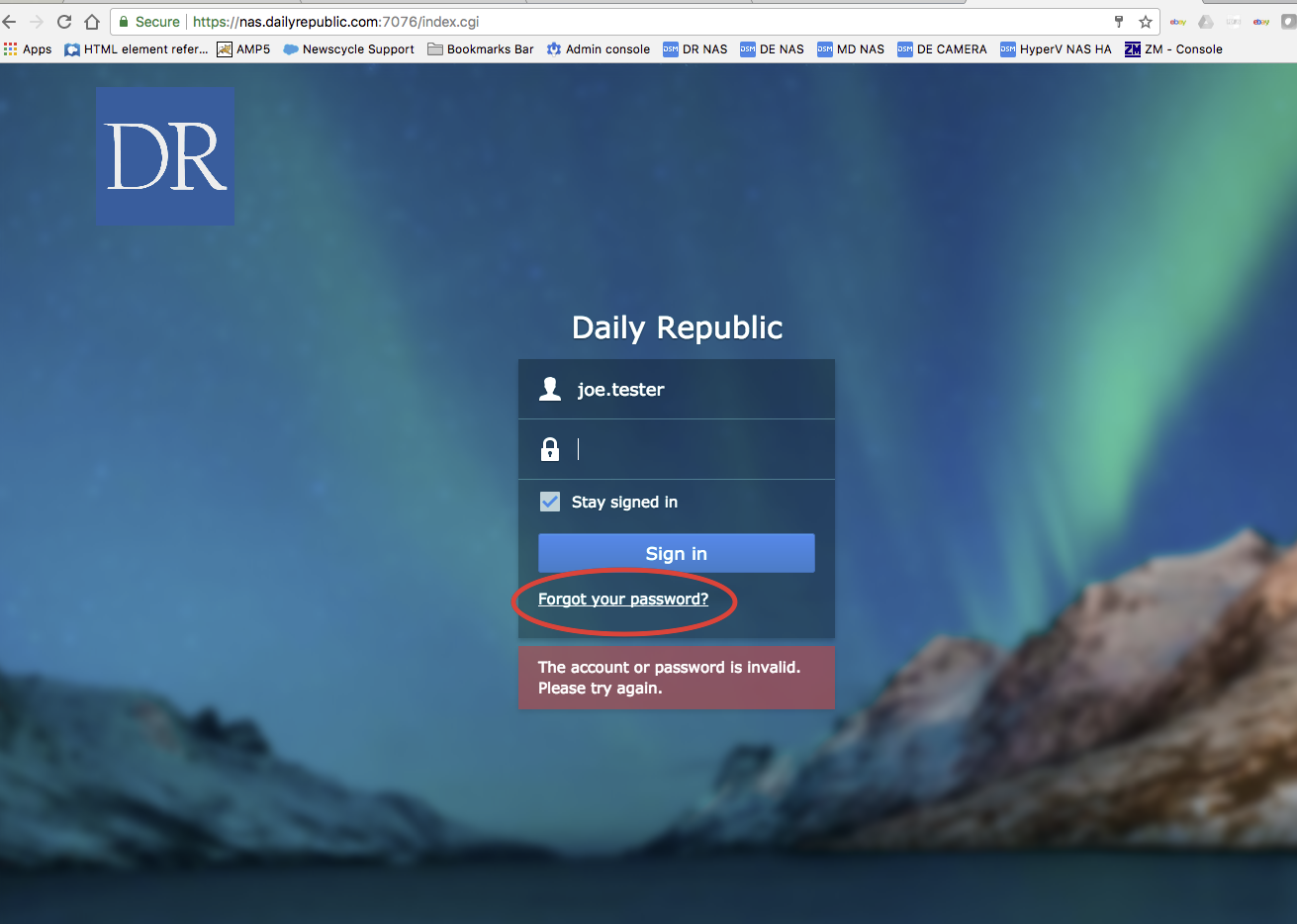
- Click on the "Forgot your password?" link.
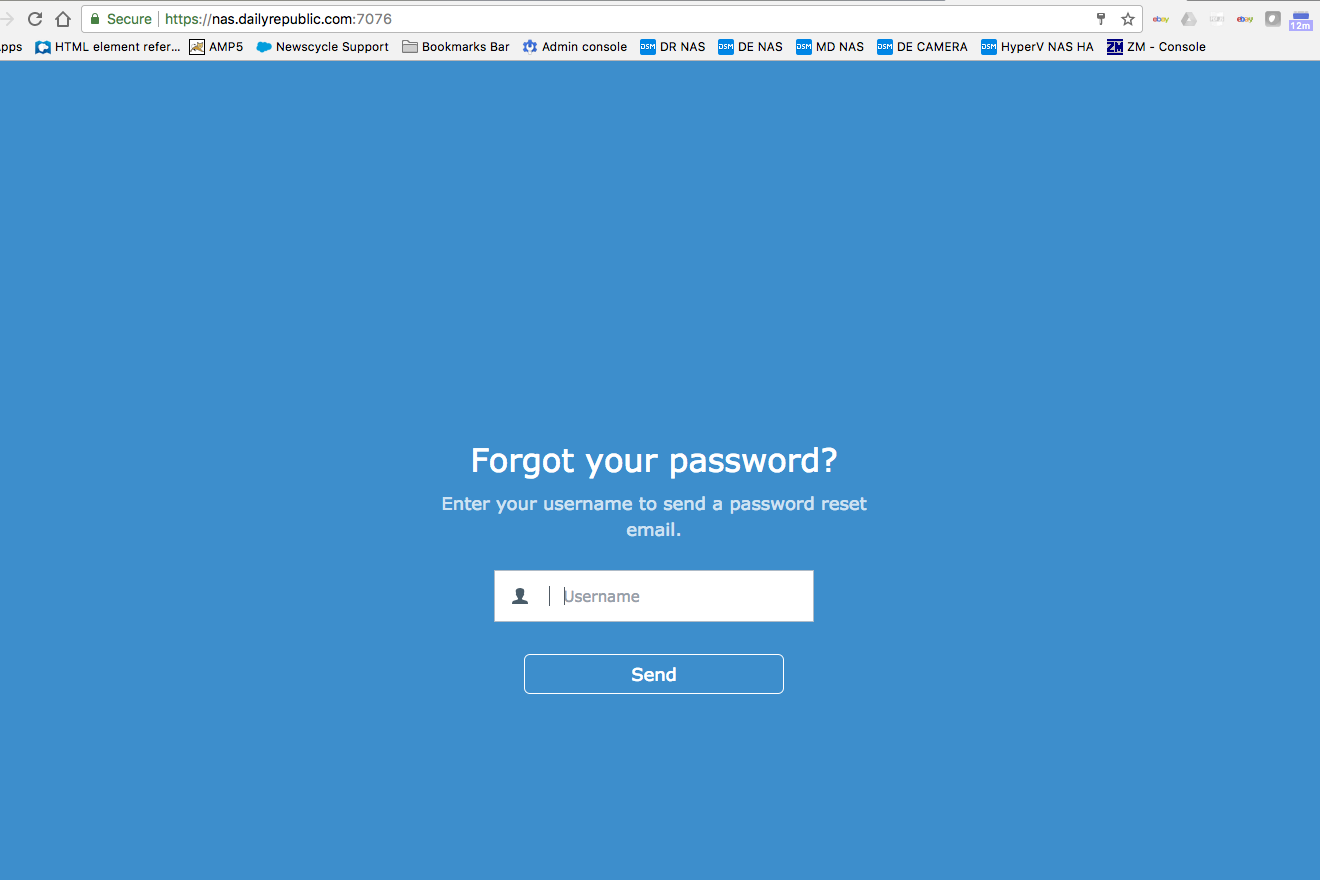
- You will be brought to this screen. Type your username in the form of firstname.lastname and an email will be sent to you explaining how to reset your password. Follow the instructions in that email and your password will be reset.
- If you do not receive an email, or your username comes back as invalid, please put in a request by emailing help@mcnaughton.media.
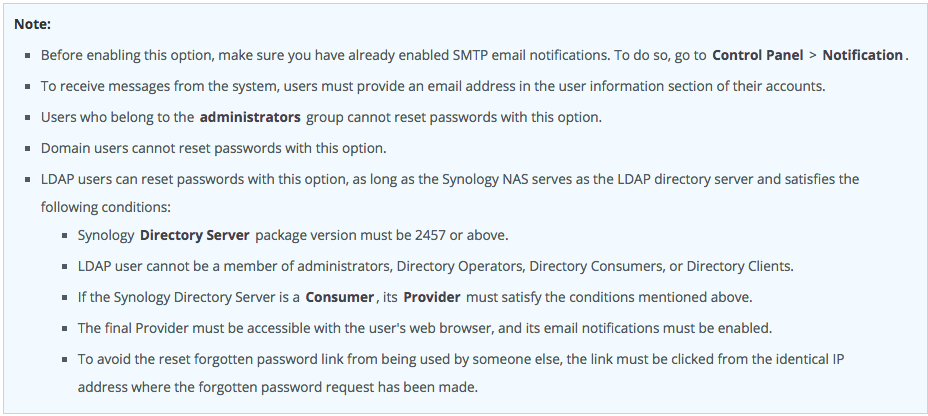
PLEASE NOTE: Users who belong to the Administrators group cannot reset their password using the "Forgot your password?" option.
0 Comments