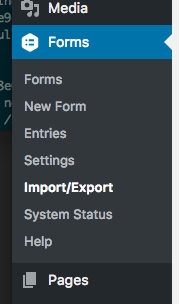
Step 1: In the Forms menu of the WordPress backend, choose "Import/Export"
Step 2: Choose "Export Forms" from the lefthand side on the settings screen
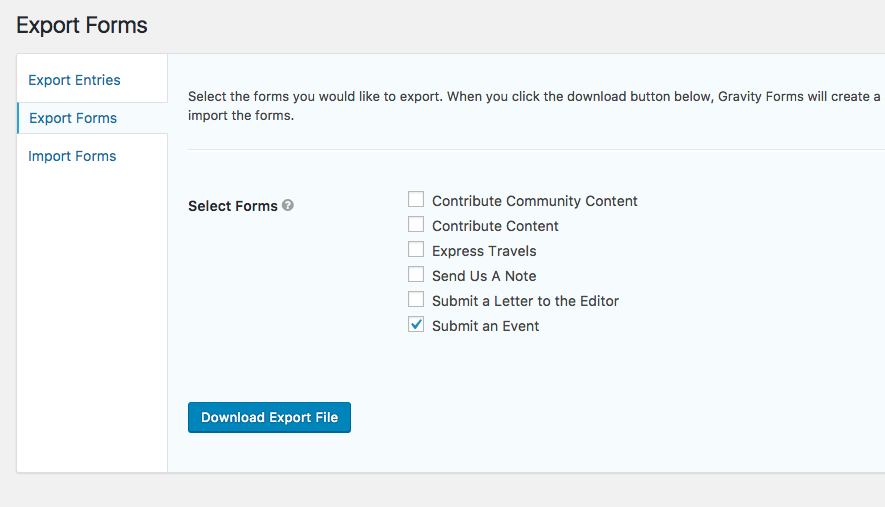
Step 3: Check the Form for download and tap the "Download Export File" button. This will pop a download for a file named gravityforms-*.json
0 Comments