Note: Your WordPress user needs to have the Editor role on the site where the Form is posted.
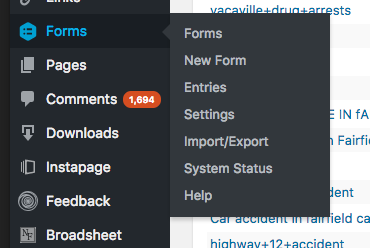
Step 1: Look in the left-hand menu of the WordPress backend to find the menu entry for Forms. Click "Forms"
Step 2: Choose an item from the lineup. Click a title to edit. If you're unsure what form is the correct form, go to the page on which it was embedded and look at its shortcode. That shortcode will include its form ID, which is listed on this page and at the top of every form.
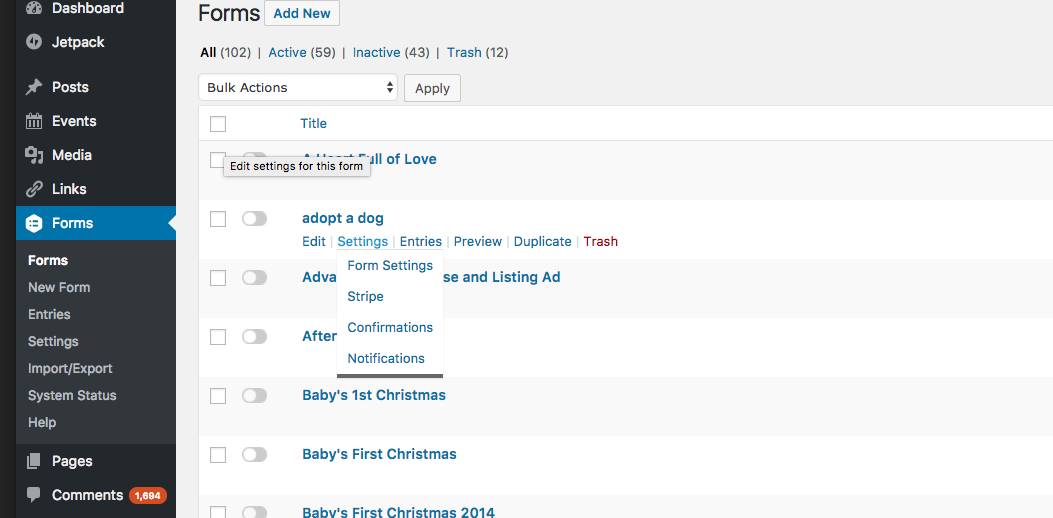
Step 3: Follow similar steps as when creating a form from scratch: update fields, arrange as you please, edit confirmations and notifications then save. See also: How do I add a Gravity Form?
0 Comments