To remove unwanted Gmail folders from your Mac Mail or Thunderbird client, follow these steps:
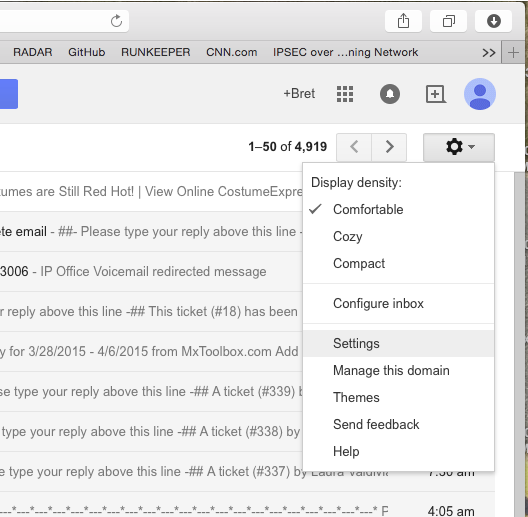
Log into your Gmail account using your @mcnaughton.media account and click on the gear and choose "Settings."
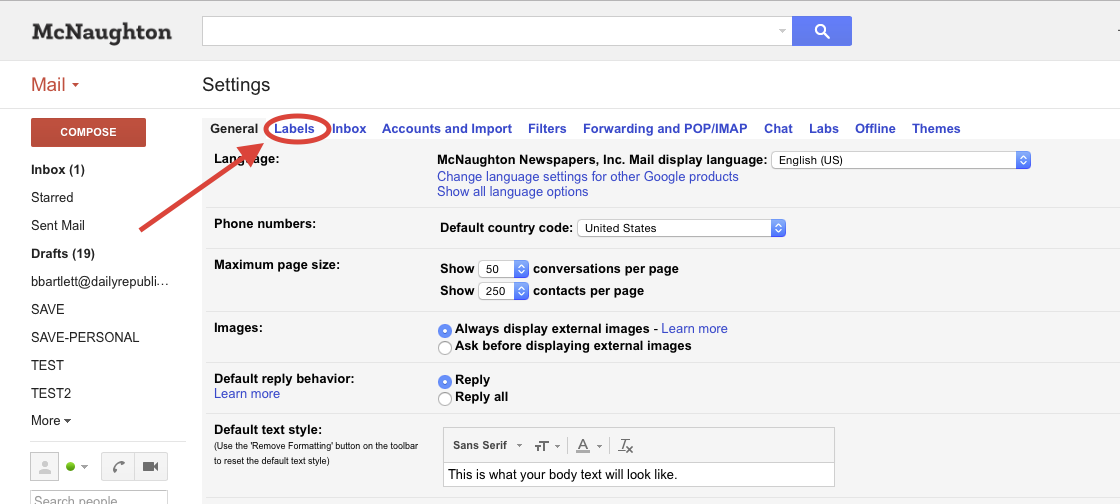
Select "Labels" from the Settings menu as shown below:
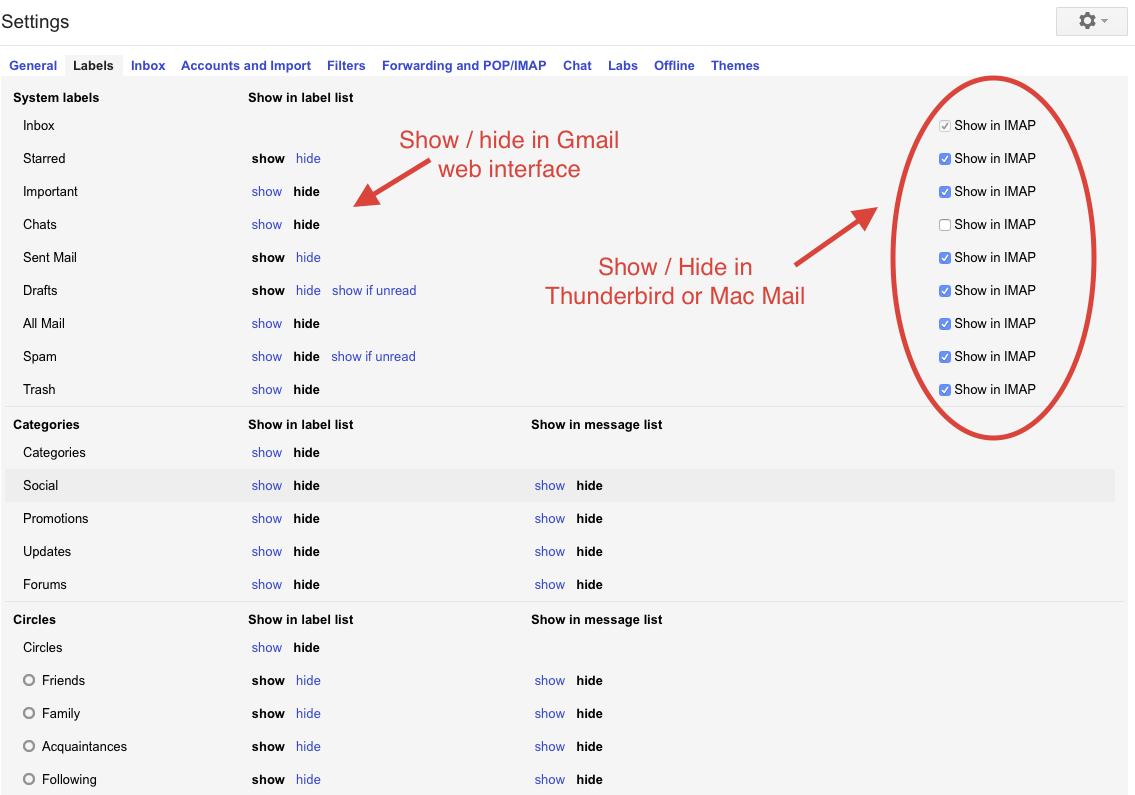
Uncheck the "Show in IMAP" setting for any folder you do not want to see in your mail client. You can also show/hide any folder from view in the Gmail web interface as well:
0 Comments