From the Finder menu, click "Go" and the "Connect to Server...."
There are two ways to connect to the NAS. You can use either AFP or SMB. AFP is Apple's file protocol that is fine tuned to work with Macs. It has support for making aliases and for some odd characters in the filenames that SMB does not support. But we have experienced problems with AFP when opening folders with large numbers of files or folders contained within them. SMB is the Windows standard and is generally considered to be more reliable. It will not allow you to make aliases though, but most other functions work the same as SMB.
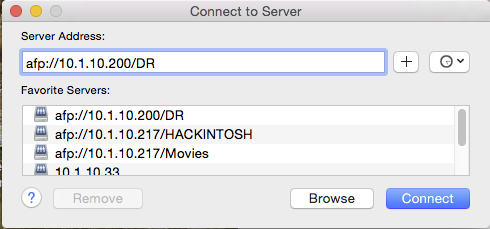
For AFP:
In the Server Address box type:
afp://10.1.10.200/DR
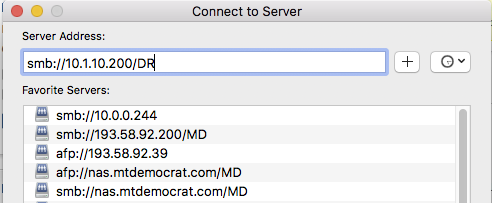
For SMB:
In the Server Address box type:
smb://10.1.10.200/DR
Enter your username in the form of first.last
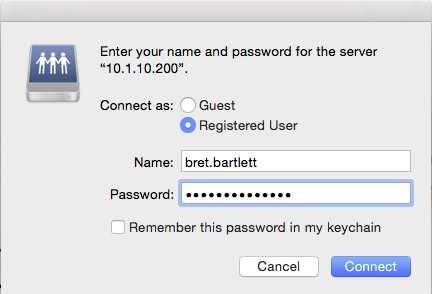
Enter your password in the form of First<3HisData or First<3HerData.
You should then be authenticated and have the new server mounted on your desktop. You will find all of the folders that were available on the old FFSERVER, on the new server, under the volume "DR."
0 Comments