Go to Systems Preferences | Printers:
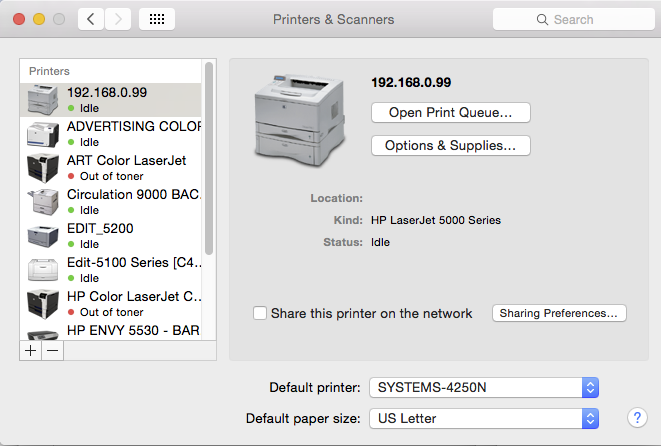
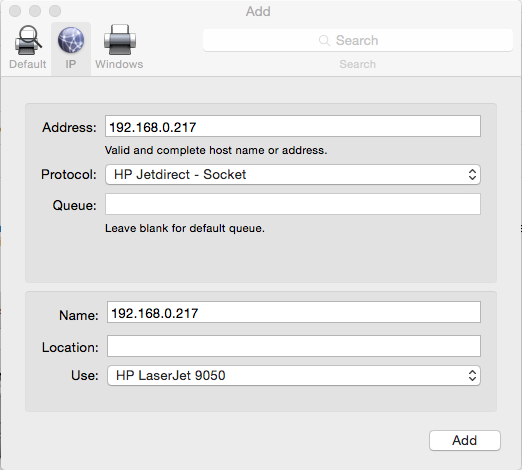
Click on the + sign to add a printer. For the protocol, select HP Jetdirect Socket. Select “IP” from the top menu to add it by IP address and type 192.168.0.217 in the address box. You can then change the name below from the IP address to “HP LaserJet 9050” (or whatever you want to name it.) Some workstations my look a bit different from my screenshots, but the selections are generally the same:
0 Comments