Step 0: Find the DFP screen for the Line Item you'd like to re-run. You know that you're looking at a line item when the phrase "Line Item" is somewhere in the topmost header.
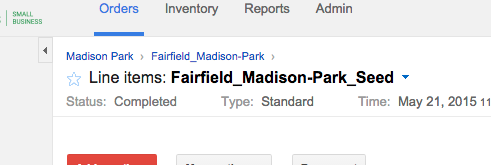
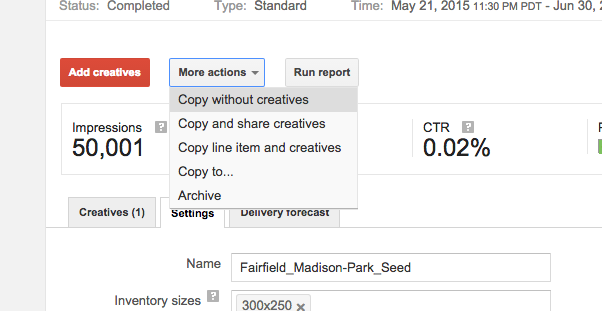
Step 1: Under the "More actions" button choose "Copy line items and share creatives." Choose instead "Copy line item and creatives" if you think you may modify the creatives later.
This creates a new line item in the same order. The name is the same but with "(copy)" appended to the end. You'll have to update the Line Item name to remove this and be more clear on its purpose.
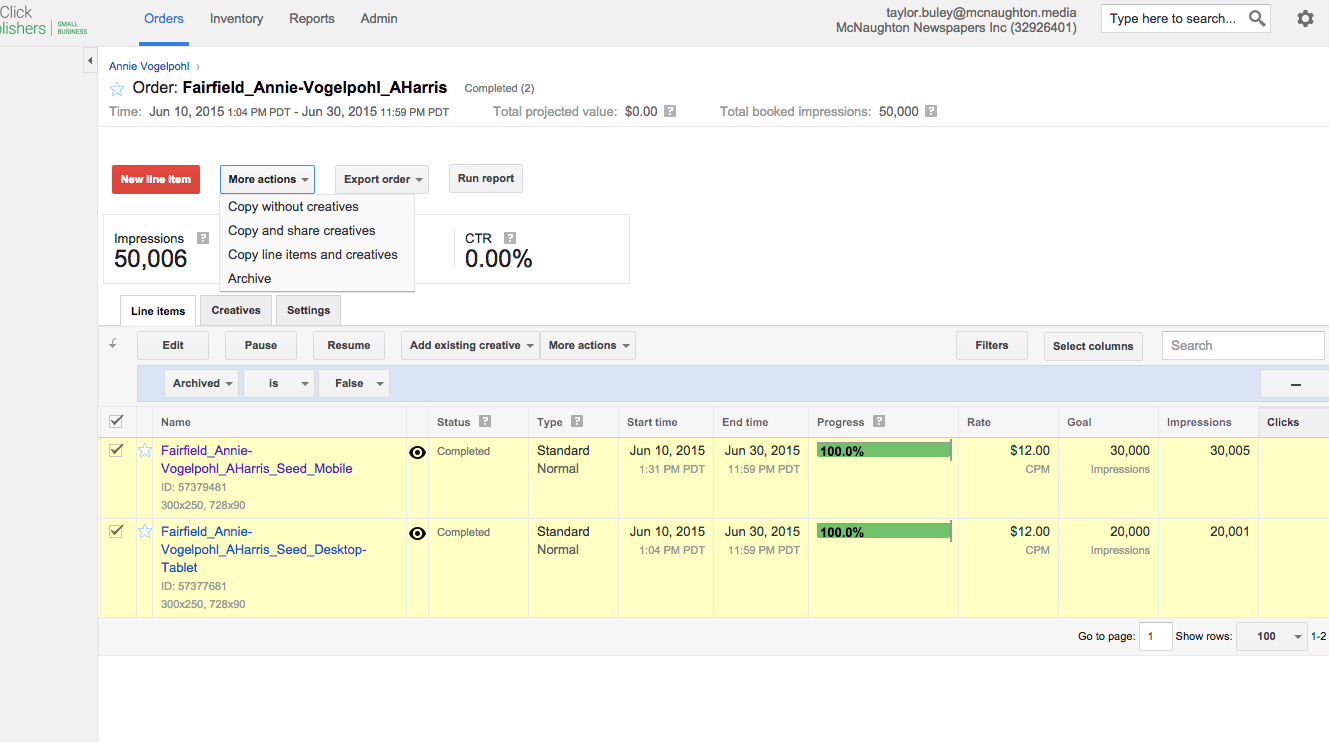
NOTE: If you need to copy multiple Line Items, it's a few clicks faster to do this from an Order screen. Just make sure you're in lower, Line Items' "More actions" button and not the Order's actions button.
GOOD:
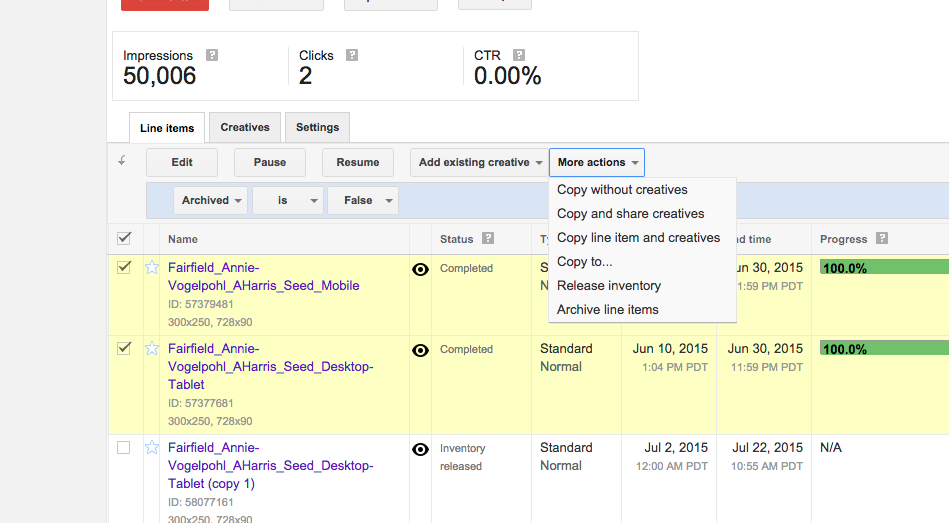
BAD:
Step 2: The new line items now exist. Since your existing order was likely to already have been approved, you won't need any new approval for the new item to go live. Just go in and update them, changing the name and the dates (and, optionally, anything else).
0 Comments