This document is meant primarily for Shawn and Letty. It will show you the steps to setup a user's old Communigate account so that it forwards mail to Gmail. This enables the user to receive e-mail from other users in the company who have not yet been converted to Gmail.
Log into the Communigate web interface at http://mailserver.dailyrepublic.net:8010 using the admin account credentials you have been previously provided by Bret or Taylor. Then click on the "Users" tab, and select your domain:
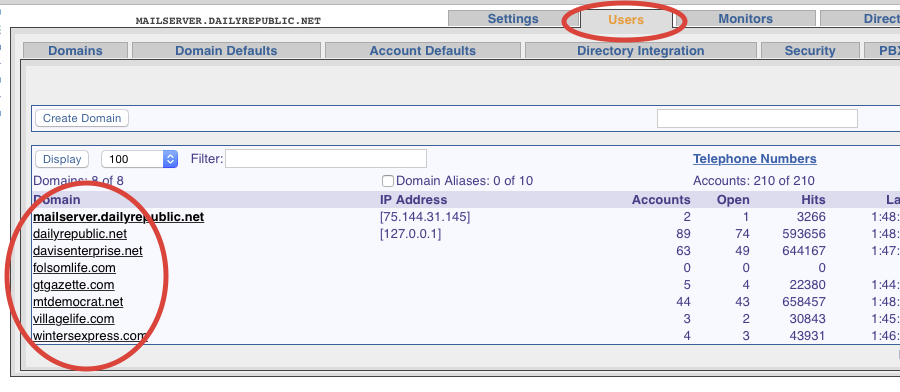
Next, find the user you are migrating to Gmail, and click on that user. Once you are in the settings for that user, click the "Mail" tab, and then the "Incoming Mail Rules" tab.
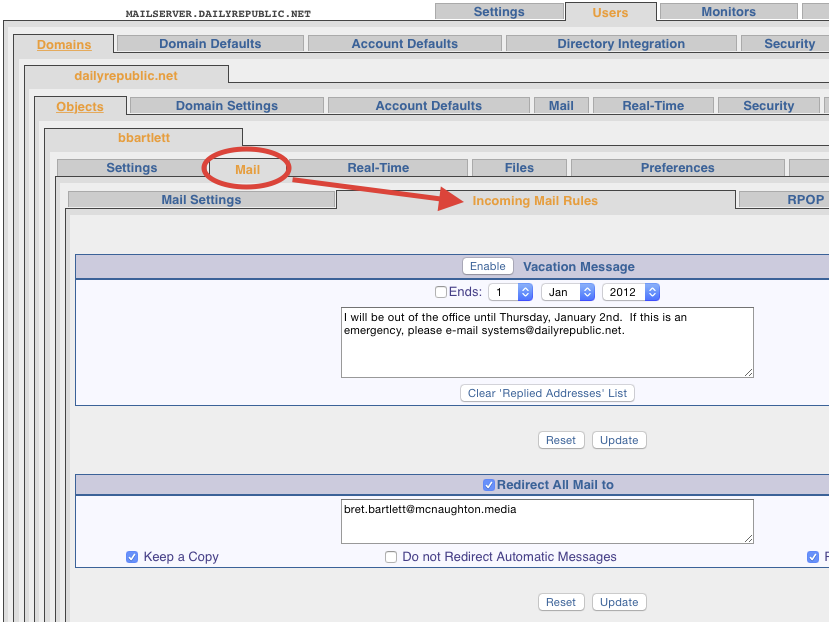
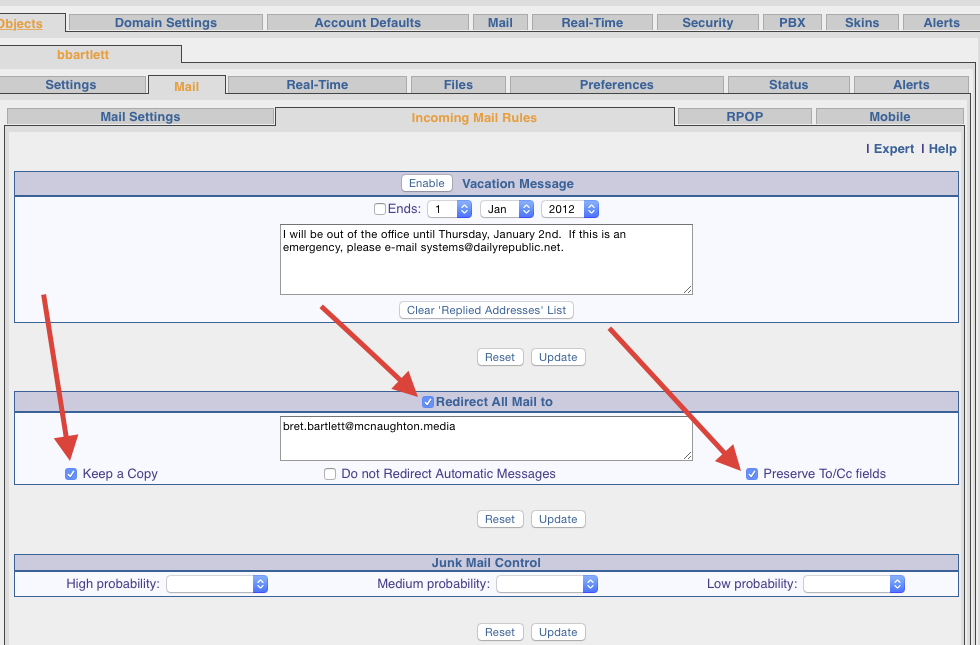
From this tab, check the box labeled "Redirect All Mail to" and make sure to check the "Keep a Copy" and "Preserve To/Cc Fields". Place the user's @mcnaughton.media address in the box.
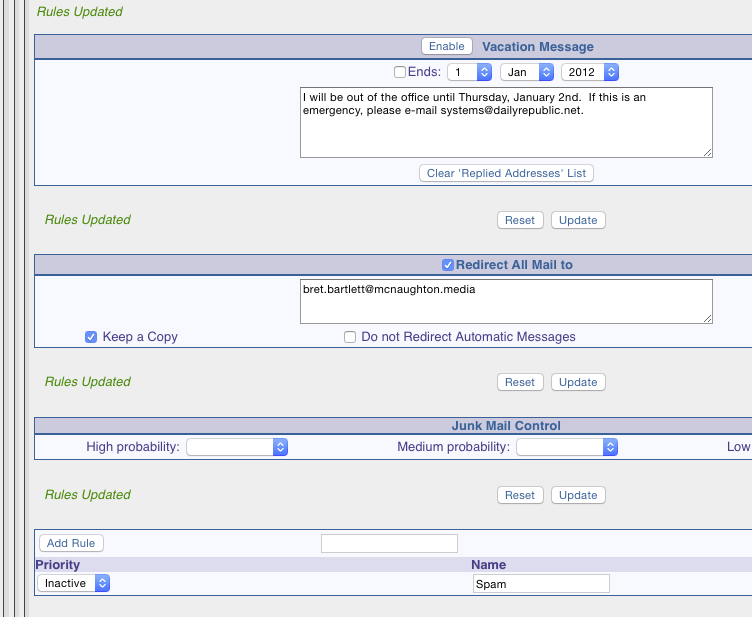
Once the e-mail address is in the box, and you have those check boxes checked, you need to hit the "Update" button (does not matter which one) and it will say "Rules Updated" in green on the left hand side.
At this point your are finished and can close the browser window. This should complete the user's conversion to Gmail and you should tell them that they can start dragging any mail or folders (they wish it keep) from their old account to their new account in their client interface (Mac Mail or Thunderbird.)
0 Comments