Follow these instructions to remove your old Communigate account from your Mac Mail client in OS 10.6. Note: for newer version of Mac OS, such as 10.7, 10.8 and 10.9, the process will be similar, but may not look exactly as it does below.
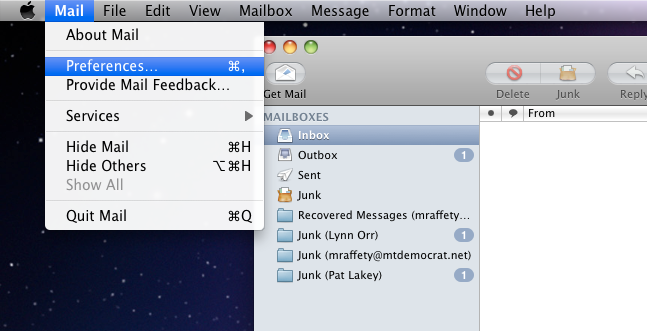
From your Mac Mail Client, select Mail / Preferences:
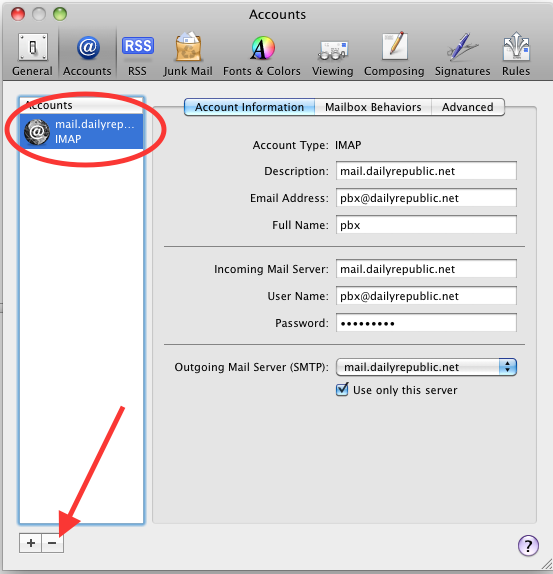
Then select the account you wish to remove. It will probably say "mail.dailyrepublic.net" or something similar. DO NOT remove any accounts that have "Gmail" in the name. Click the minus sign, after you have selected the account.
Confirm that you wish to remove the account:
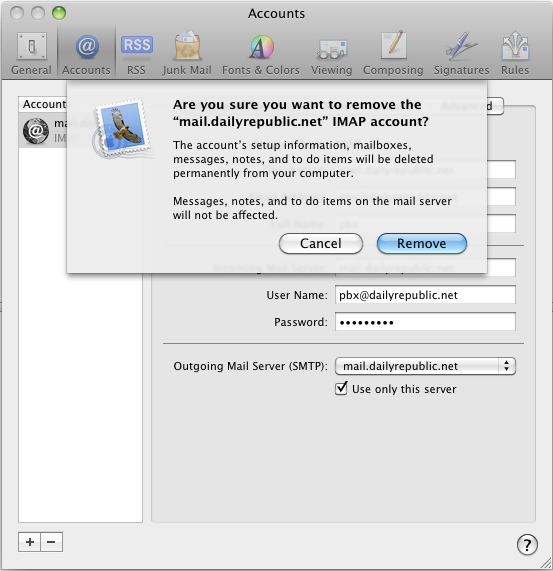
Once you have clicked "Remove", the account will be gone and you can close any open windows. Congratulations -- you have completed your transition to Gmail!
0 Comments