There are two ways to refund a Payment: via the Payment Record, or via the Payments screen.
Method 1: Via Payment Record
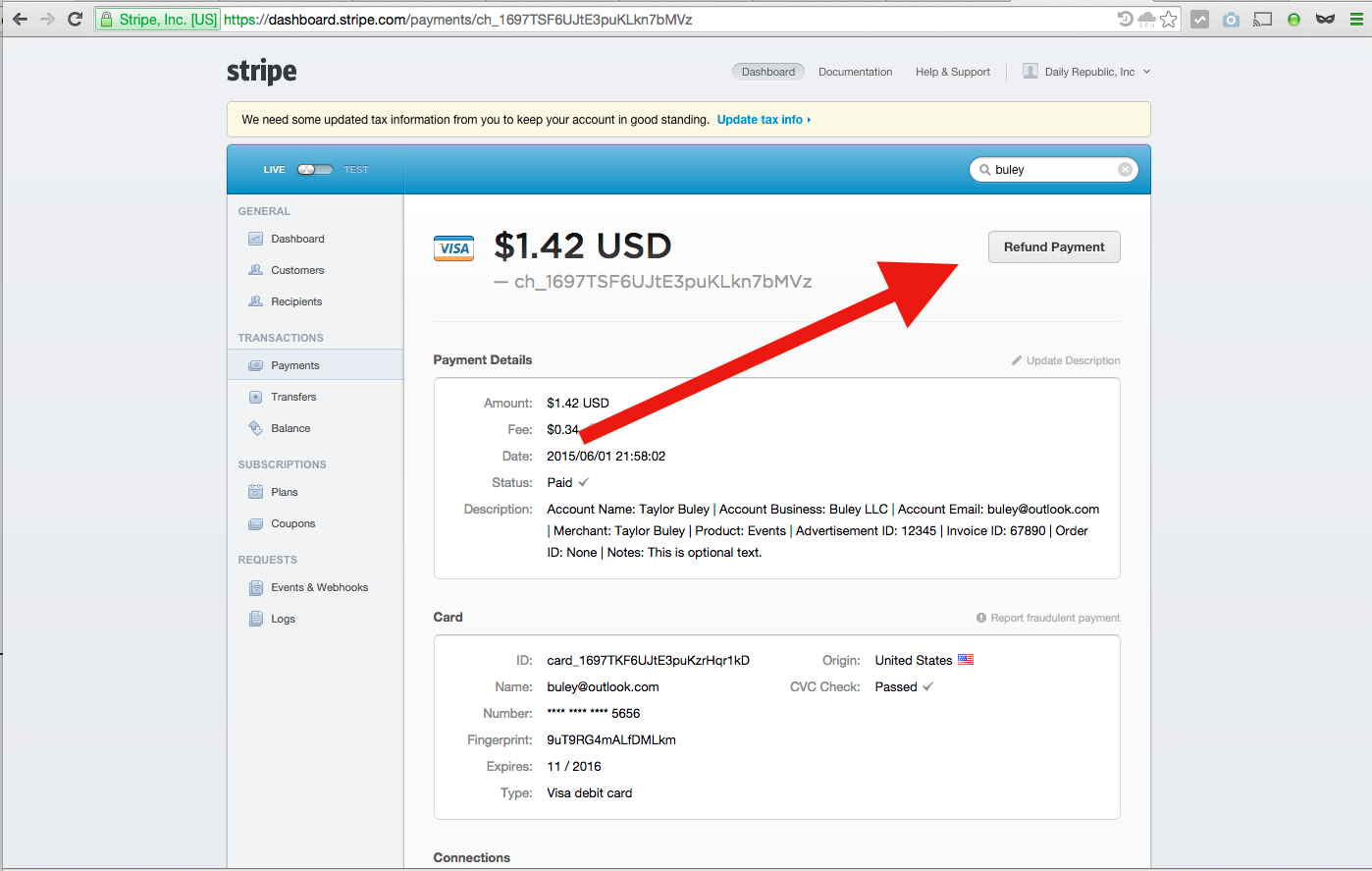
Step 1: Find The Payment Record
Pull up the Payment Record via search or the Payments tab of the Stripe Dashboard. See What is A Payment Record? and How Do I Lookup A Payment Record?
Step 2: Click the "Refund Payment" button (red arrow)
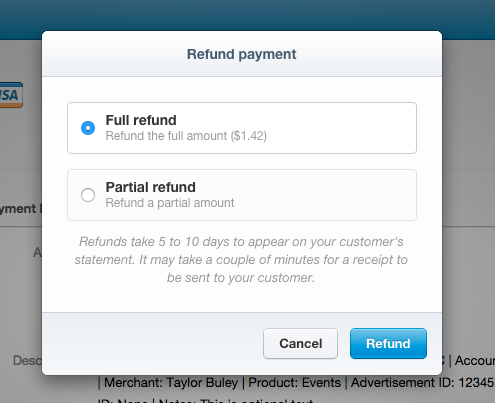
Step 3: Choose A Full Or Partial Refund
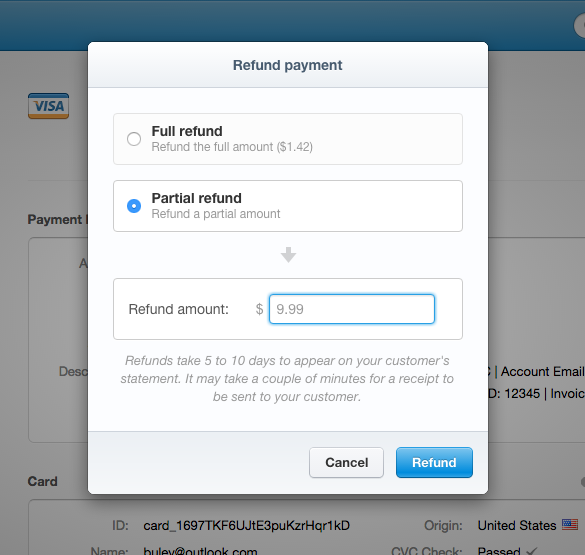
If choosing a partial refund, must provide amount to refund.
Method 2: Via Payments Screen
The Payments screen (https://dashboard.stripe.com/payments/overview) has a quick way to refund recent payments. (See What Is The Stripe Dashboard? for more info.) Just hover over an item in the "Recent payments" list and click the "Refund" link on to get to the same "Refund payment" screen as in Method 1.

0 Comments