Occasionally, for unknown reasons, the server that hosts the Classified database freezes up and everyone gets kicked out. When this happens, FFSERVER will not shut down properly and hangs when asked to shut down. A hard reset is required and this causes the files in the AdManager pro database to be put in a "locked" state, where the database becomes unusable or crashes constantly. To fix this, a full "clean" reboot is needed before letting AdManager Pro users back into the database. The following are the steps required to get the server up and running with an "unlocked" database:
1.) As soon as you are told that AdManager Pro is acting up, or has locked users out, get everyone who uses it to shut down their Mac OS9 Classified machines. The users affected will be all of Classified, one workstation in Art and one workstation in Accounting. Make sure each of these departments knows to shut their OS9 workstations down before you proceed with rebooting FFSERVER.
2.) The server is on the left side of the first rack you see in the server room. The picture below shows you which server is FFSERVER and shows the monitor that you will use to shut it down.
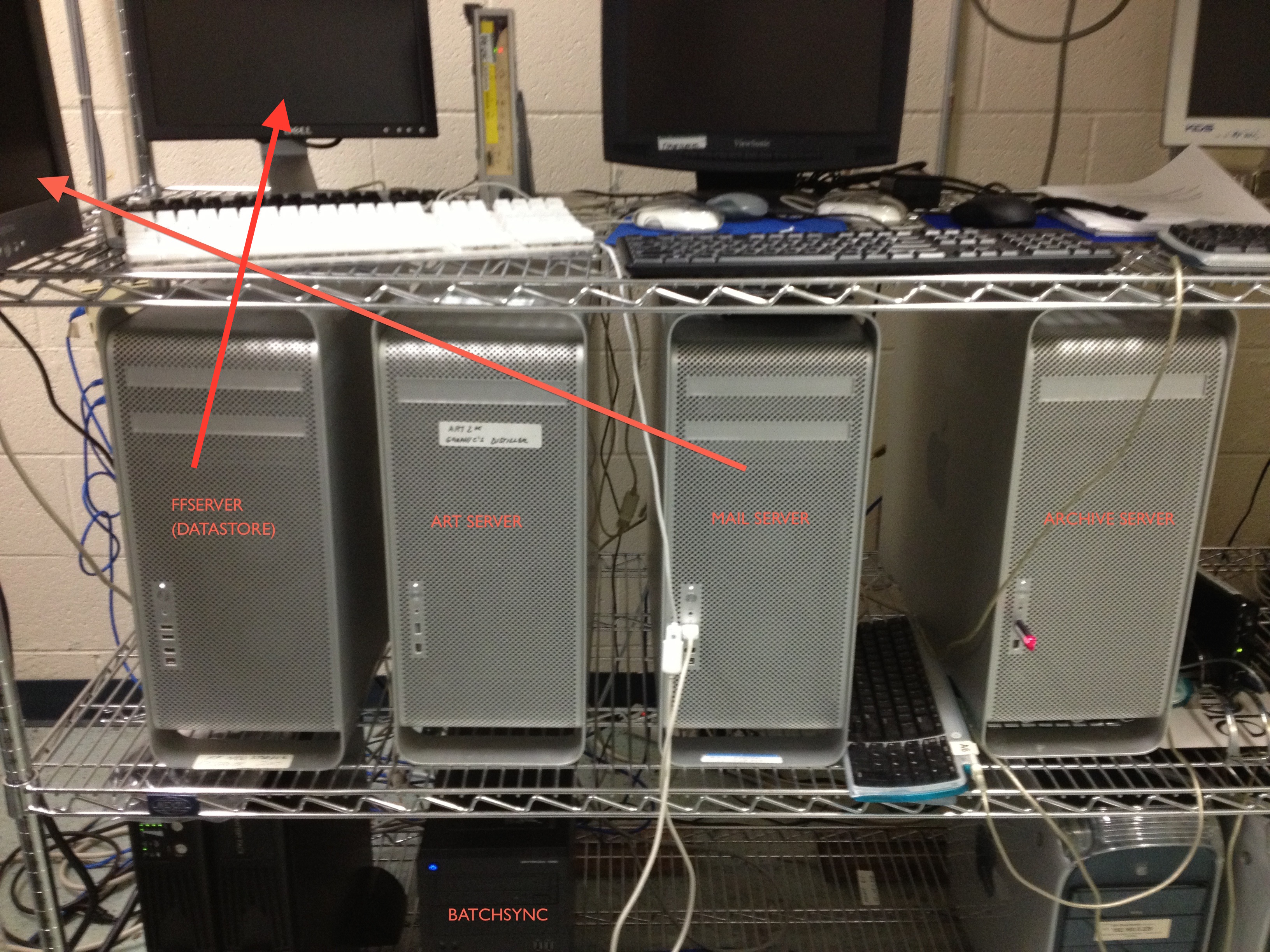
3.) Go to the Apple Menu, and select "Shut Down...." The server will likely hang at a blue screen while shutting down. If it does not shut down in about 60 seconds, hold the power button on the front of the server down until it turns off. Let it sit for a few seconds and press the power button again to turn it back on.
4.) Once the server boots back up, log in using the user "systems" and the password that will be provided to you by the systems department.
5.) When you get to the desktop (after logging back in), you want to go to the Apple Menu again, and click "Shut Down..." again. This time the Mac should shut all the way down without any problems. After it's been off for a few seconds, turn it back on again. When it boots, log back in using the systems user again (with the password that we provide you) and it is ready for users to log back into the database.
6.) You can now alert the Classified, Art and Accounting departments that they can turn their machines back on and log back into the server.
If the AdManager Pro users experience any problems with the database once they log back in, they will need to call Baseview at 734-662-5800.
0 Comments