The following article will help you remove your old Communigate e-mail account from Mozilla Thunderbird. PLEASE NOTE: These screenshots were taken from a Windows 10 machine running the latest version of Thunderbird. Your screen may look different than what is shown, but the process will be similar. The account shown in these screen shots is also a newer @mcnaughton.media account. The account you will be removing will say "mail.dailyrepublic.net" or something similar. DO NOT remove any accounts that say "Gmail."
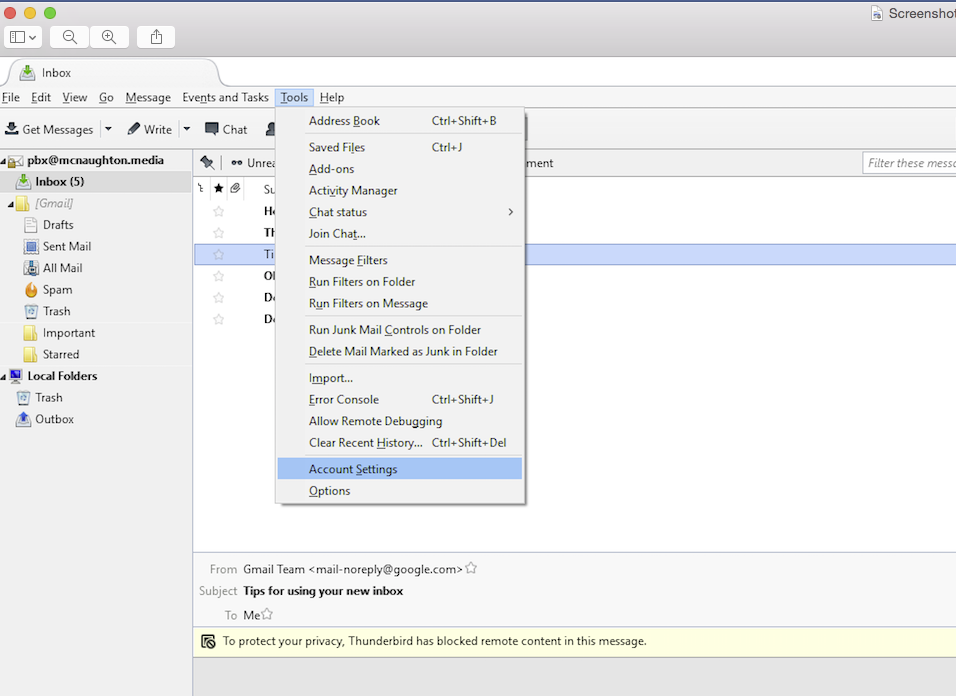
Go to Tools / Account Settings. Note that your tools may be located under a menu on the far right side of Thunderbird, depending on how your 'view' settings are configured.
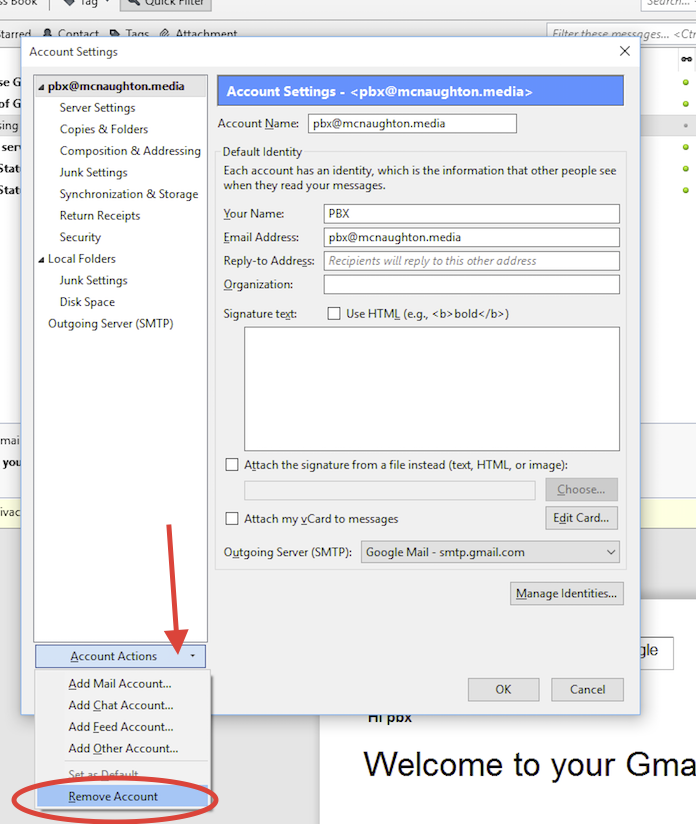
Next, click on the account you wish to remove (it will likely say "mail.dailyrepublic.net", or something similar.) Click on 'Account Actions' and 'Remove Account.'
Then confirm that you want to remove the account by hitting 'OK.'
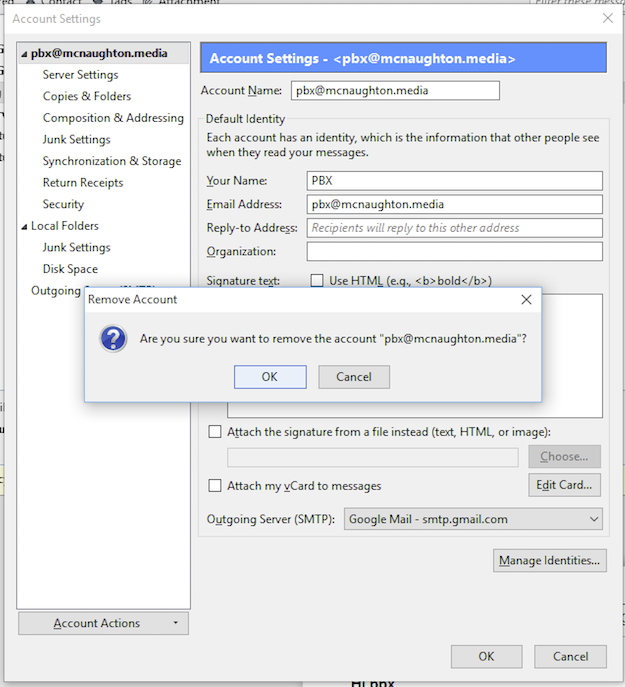
After you have removed the account, click the 'OK' button at the bottom of the Account Settings window and you are done. Congratulations -- you have just completed your migration to Gmail.
0 Comments