Step 0: Find the Order you want to cancel.
Step 1: Select any Line Items that need canceling using the checkbox next to it
Step 2: Hit the "Pause" button to stop any delivering campaigns.
Step 3: Choose the lowermost "More actions" button (above the Line Items) then choose "Release inventory." This "unbooks" the inventory.
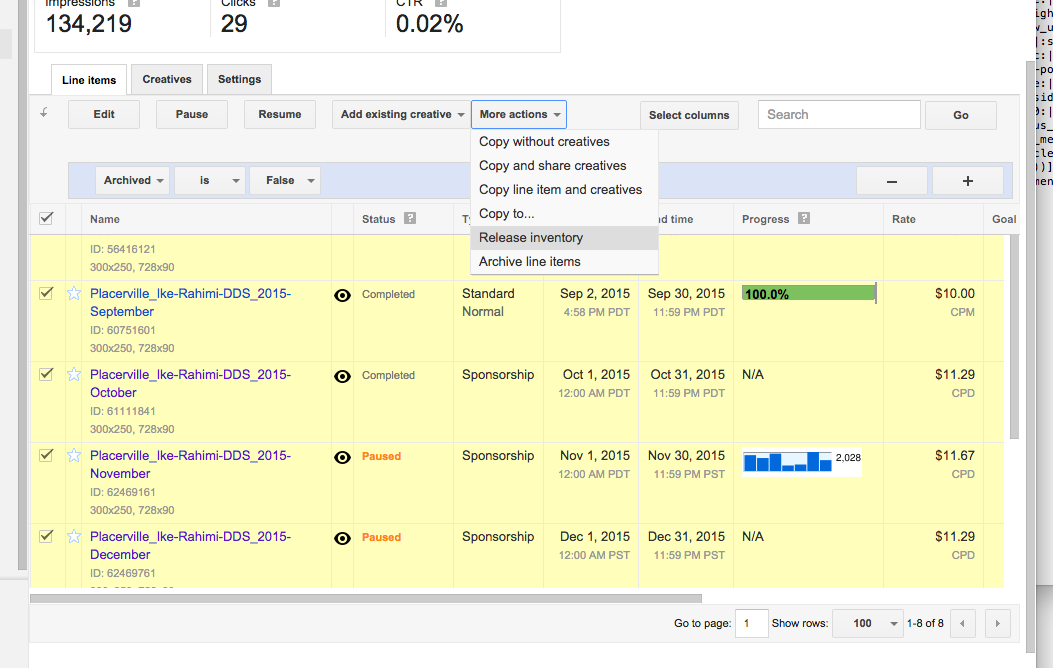
Step 4: Select "More actions" again and choose "Archive" to remove those Line Items from standard DFP views. '
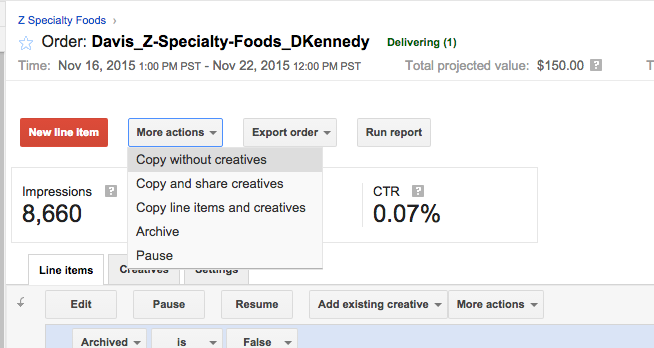
Step 5: Now that the Line Items are archived, we can choose to archive the entire order. Choose the uppermost "More actions" button and then "Archive."
0 Comments