This will help you add the Circulation HP LaserJet 9000 printer (located in Circulation) as a backup in case your printer goes down. Note that your screen may look slightly different than the screen shots below depending on your version of Mac OS. The screen shots were taken from OS 10.11 (El Capitan.)
- Click on the Apple in the menu bar and select "System Preferences....."
- Select Printers and Scanners
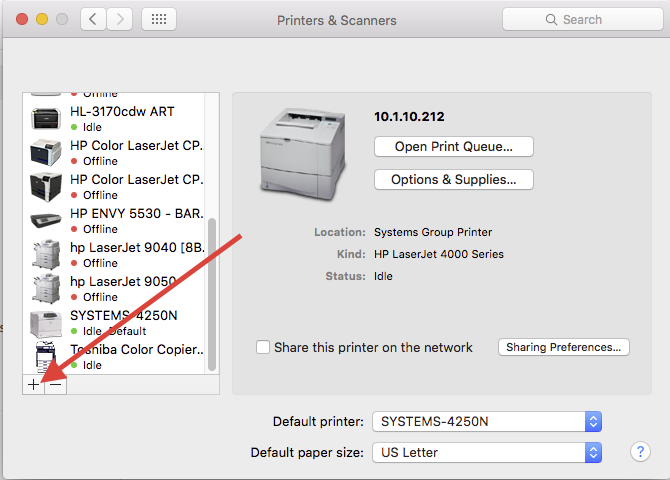
- Hit the plus sign to add a printer:
- Click on the "IP" tab and enter "192.168.0.215" in the address field:
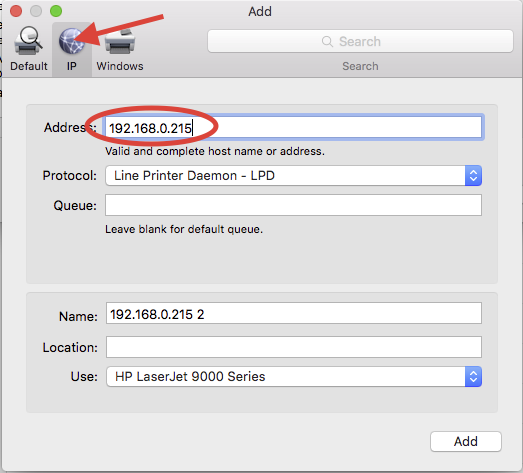
- Give it a second to detect the printer and you should see "HP LaserJet 9000 Series" appear in the bottom box.
- Click the Add button, and the printer will be added to your selection of printers.
0 Comments