We have "beta" support for text ads. They work similar to image creatives, except you choose "Text ad" from the creative selection screen in put values required for a text ad, such as title and body copy.
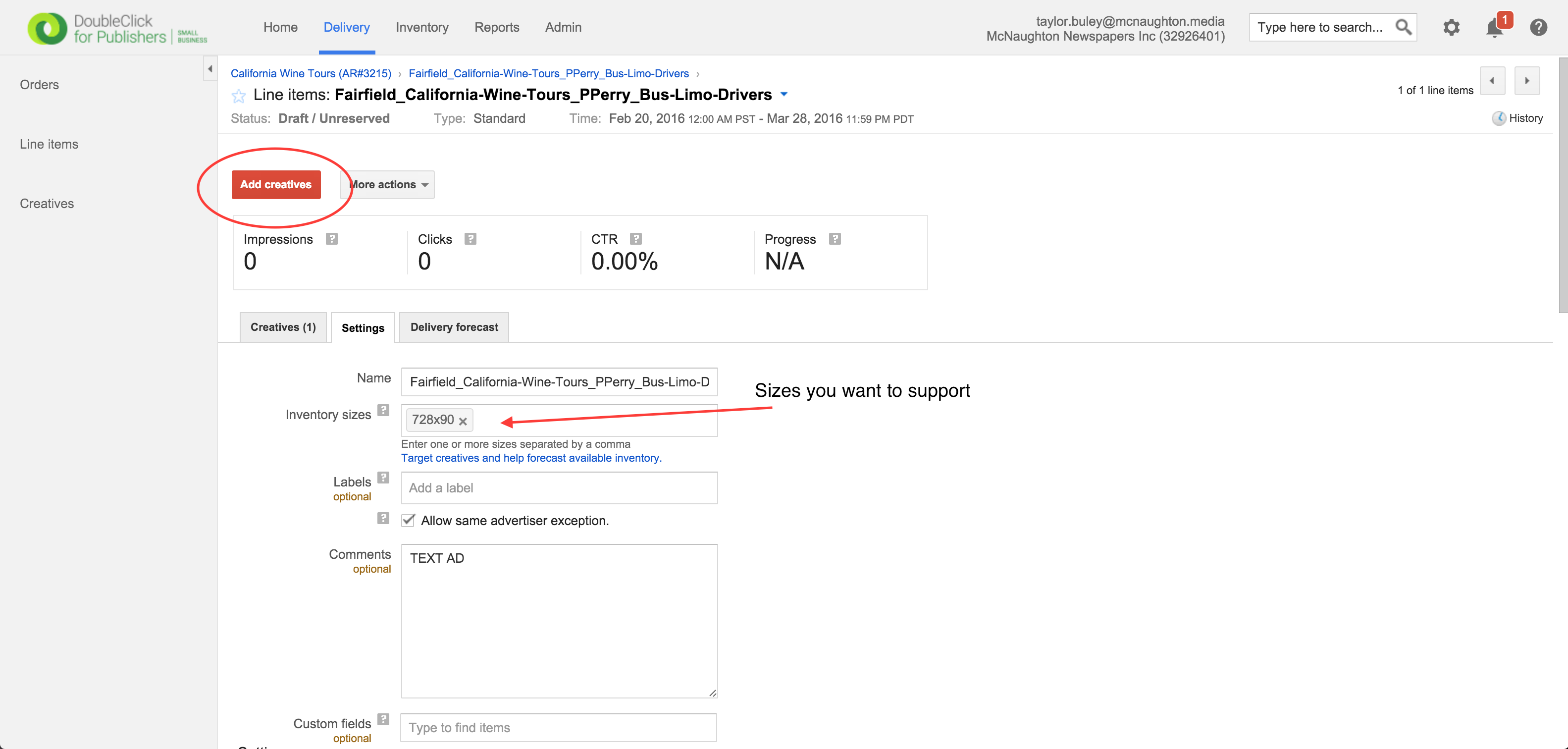
Step 0: Find the Line Item to which you'd like to add the Text creative. Make sure you've added the sizes you'd like to support with a text creative. Click the red "Add creative" button.
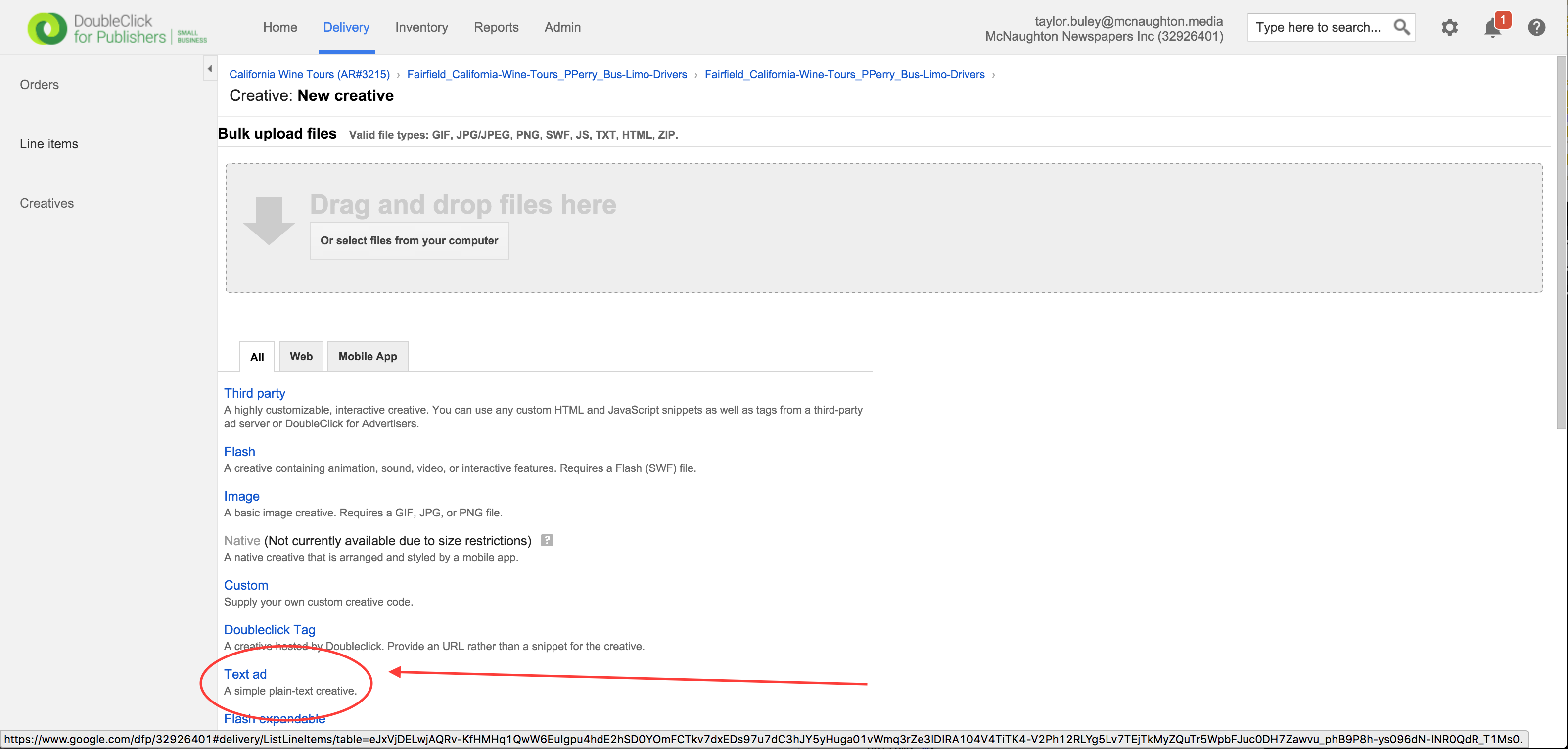
Step 1: Choose "Text ad" from the "New creative" screen.
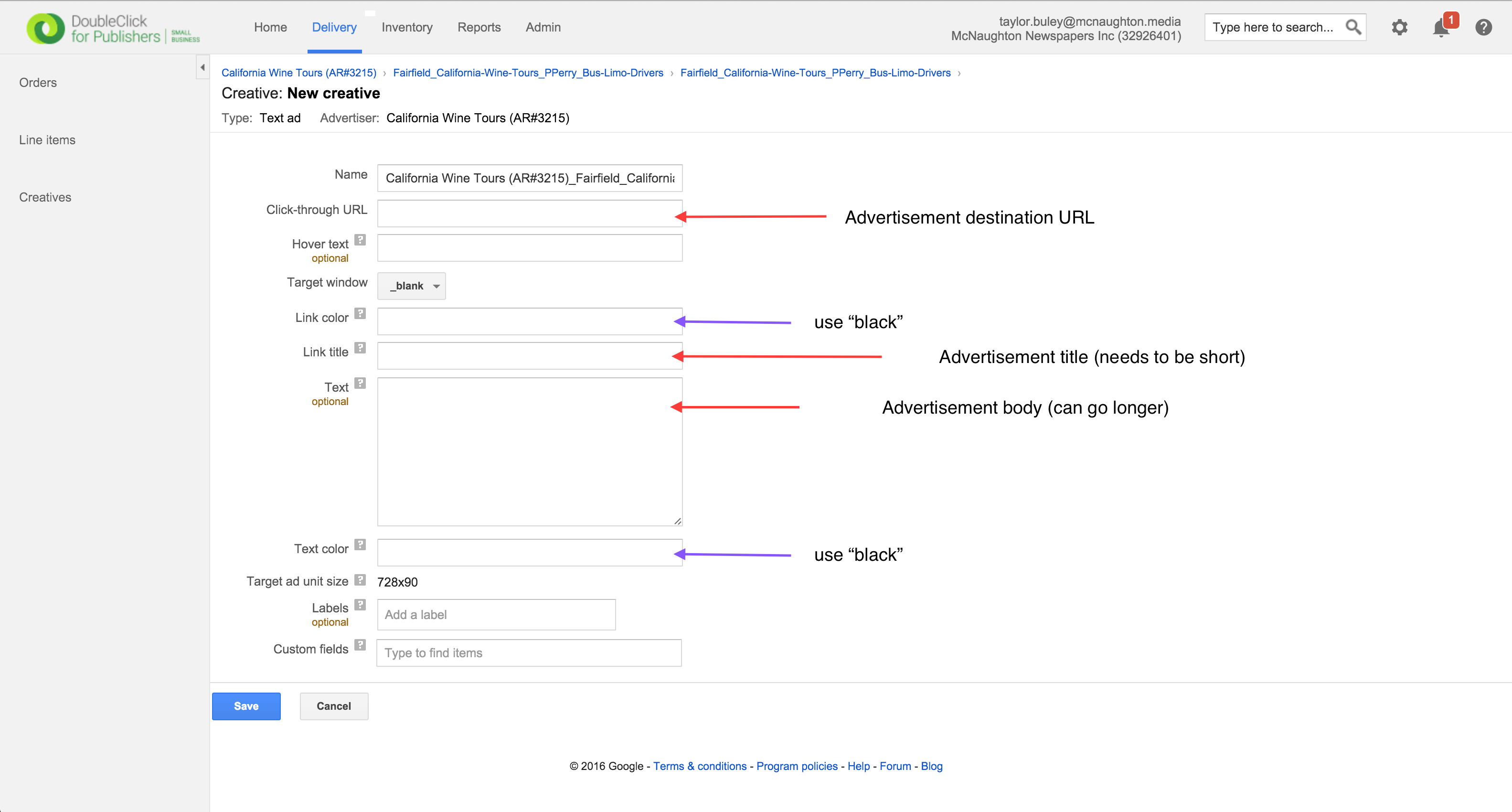
Step 2: Fill out the advertisement title, body and destination URL. Use "black" for the text and link color.
0 Comments