Step 0: Check some inventory.
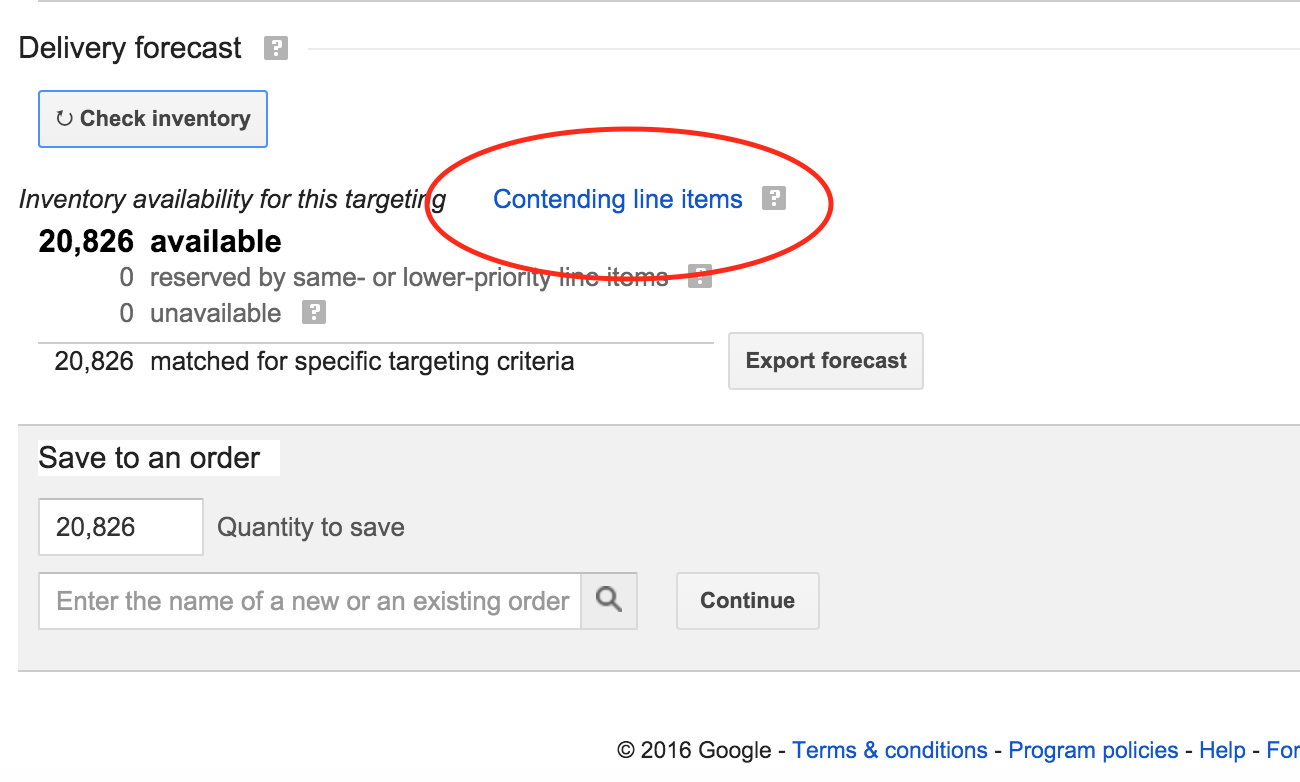
You can find a DFP screen called a "Delivery forecast" anywhere you can forecast impressions using a "Check inventory" button.
The link to look for is "Contending line items" and it will probably be blue.
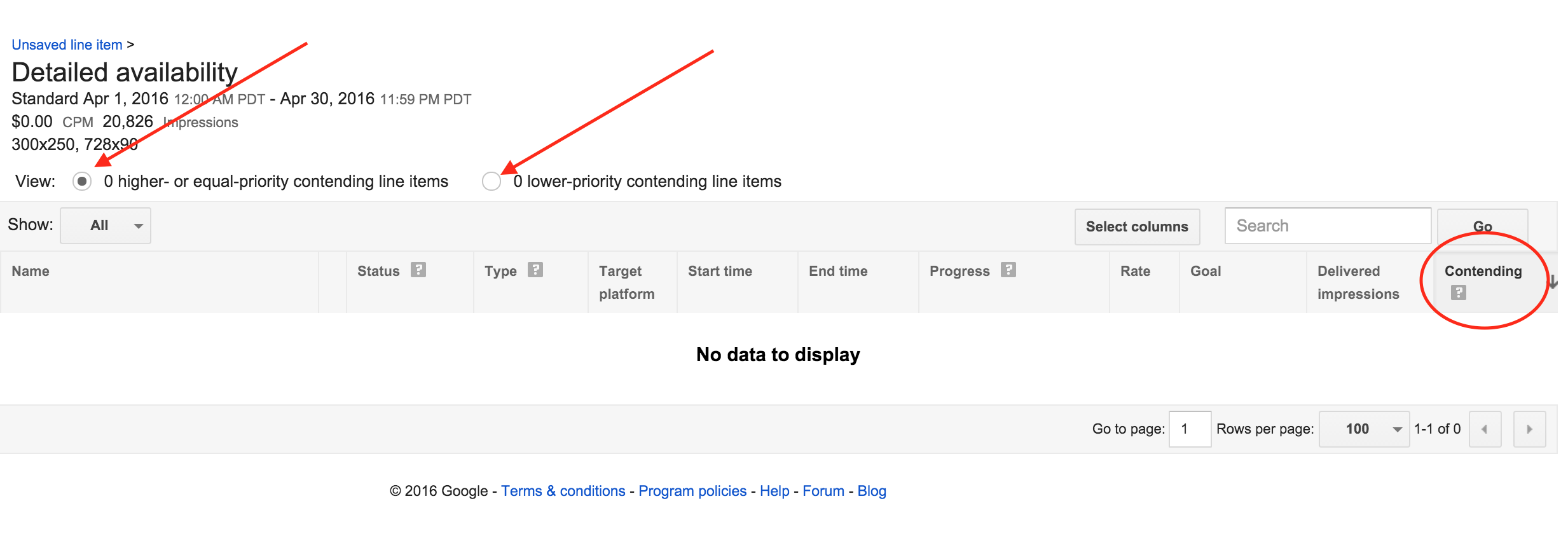
Step 1: Choose what you'd like to look at:
1) Equal or higher-priority items (if Standard, then Standard and Sponsorships; if Sponsorship, it will show just other Sponsorships).
2) Lower priority items (if Standard, House and other remnant; if Sponsorship, Standard and remnant, includingHouse)
To see how many impressions each Line Item is taking up, look to the last column.
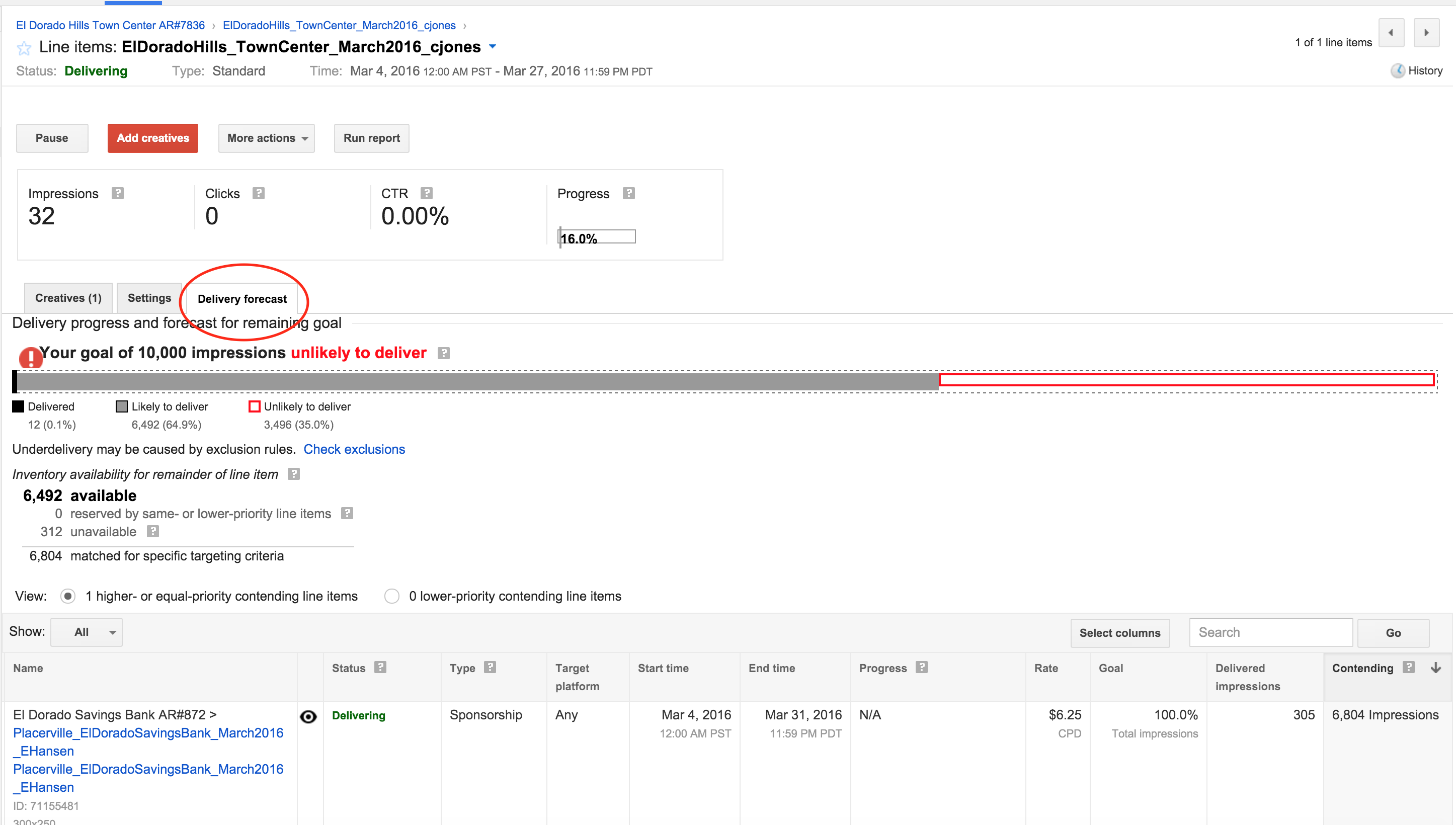
Pro Tip: You can get to this report quickly through a Line Item as well by clicking on the "Delivery forecast" tab.
0 Comments