While a paused item stops delivery of impressions, it does not free its inventory for booking by other customers. To do that, one needs to archive or release inventory. Here's Google's document on the differences.
Step 0: Find the Line Item you want to change
Step 1: Archive the item or release its reservation
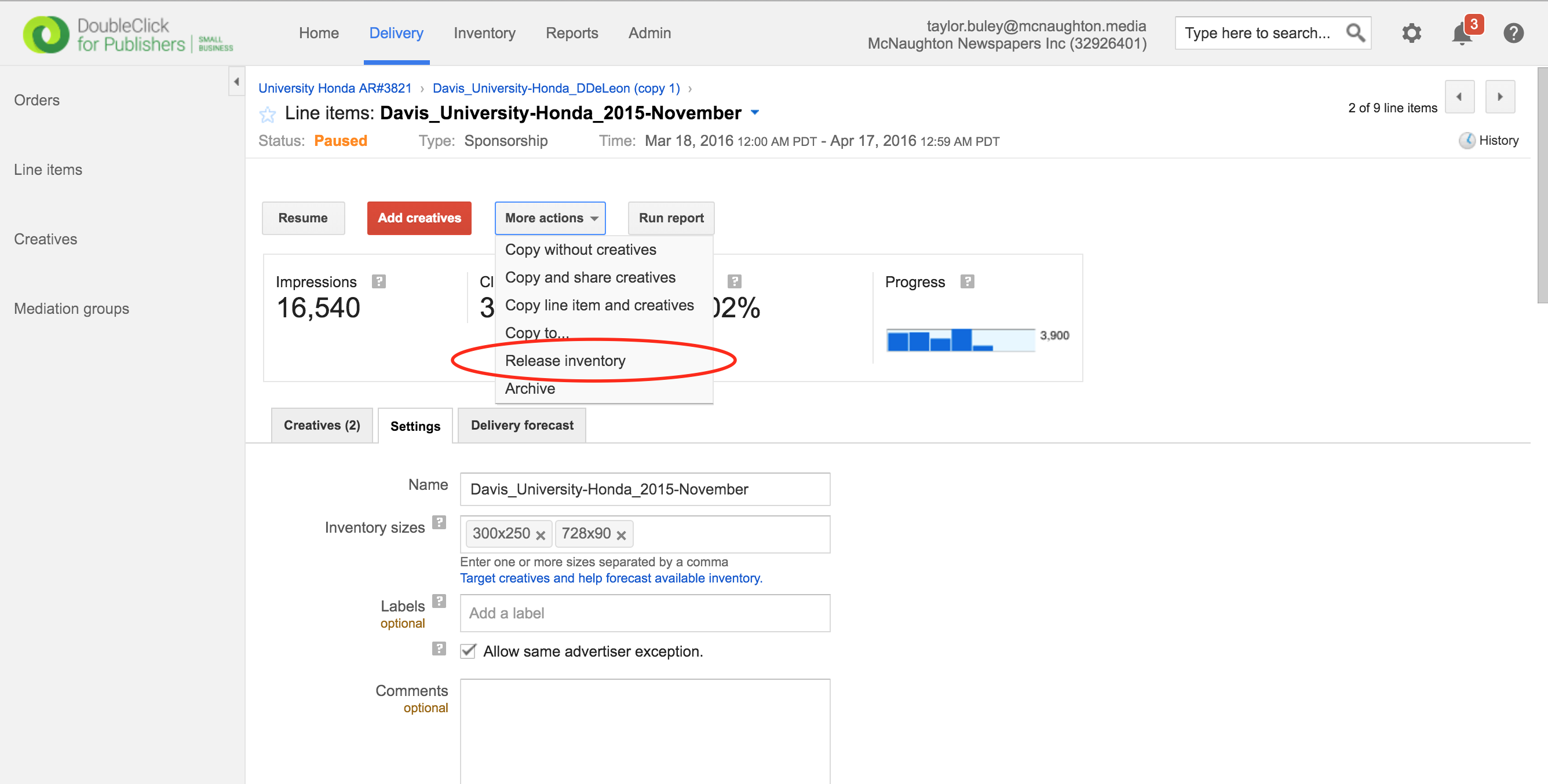
To release inventory, click More actions > Release inventory.
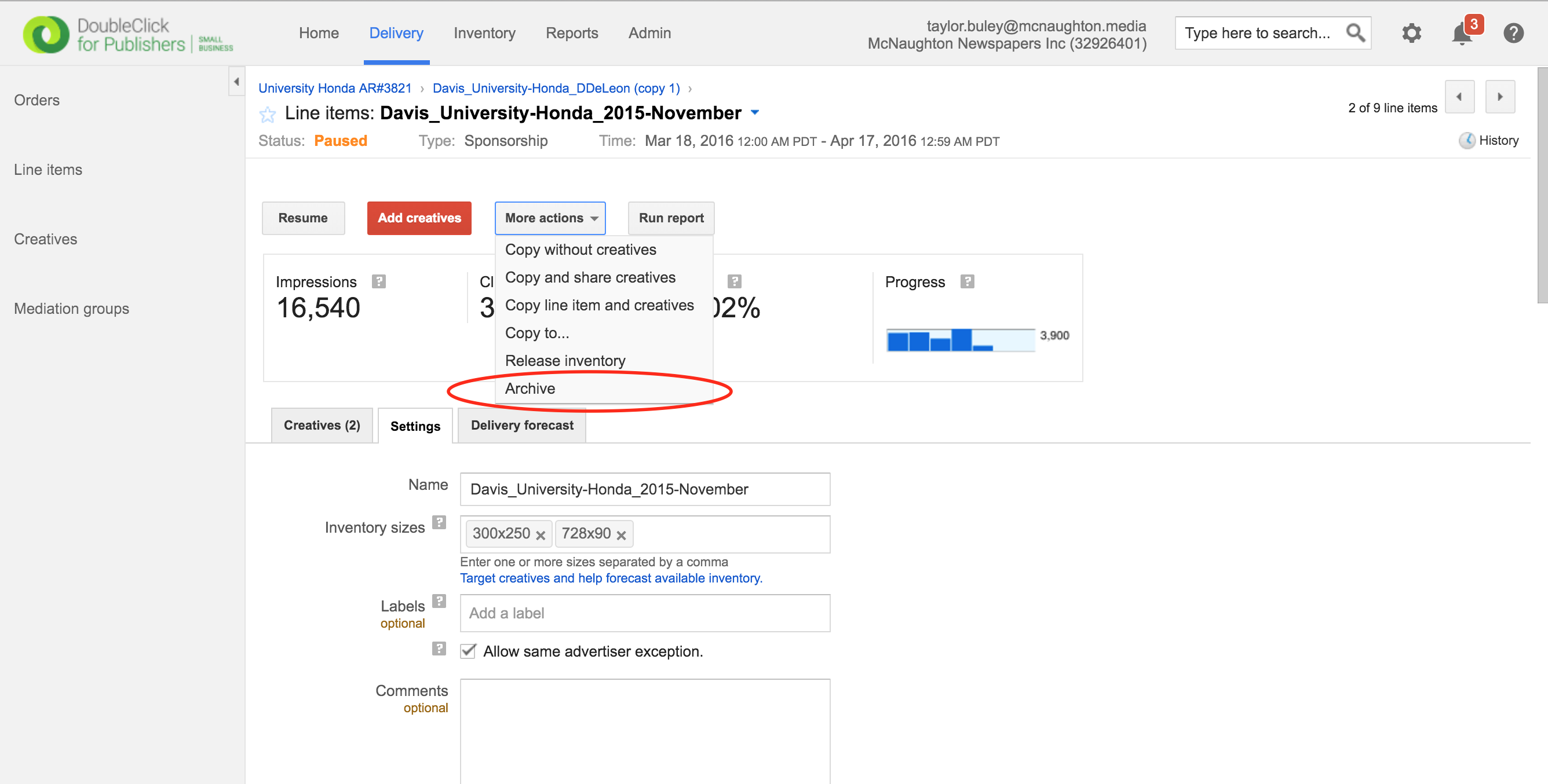
To archive, click More actions > Archive.
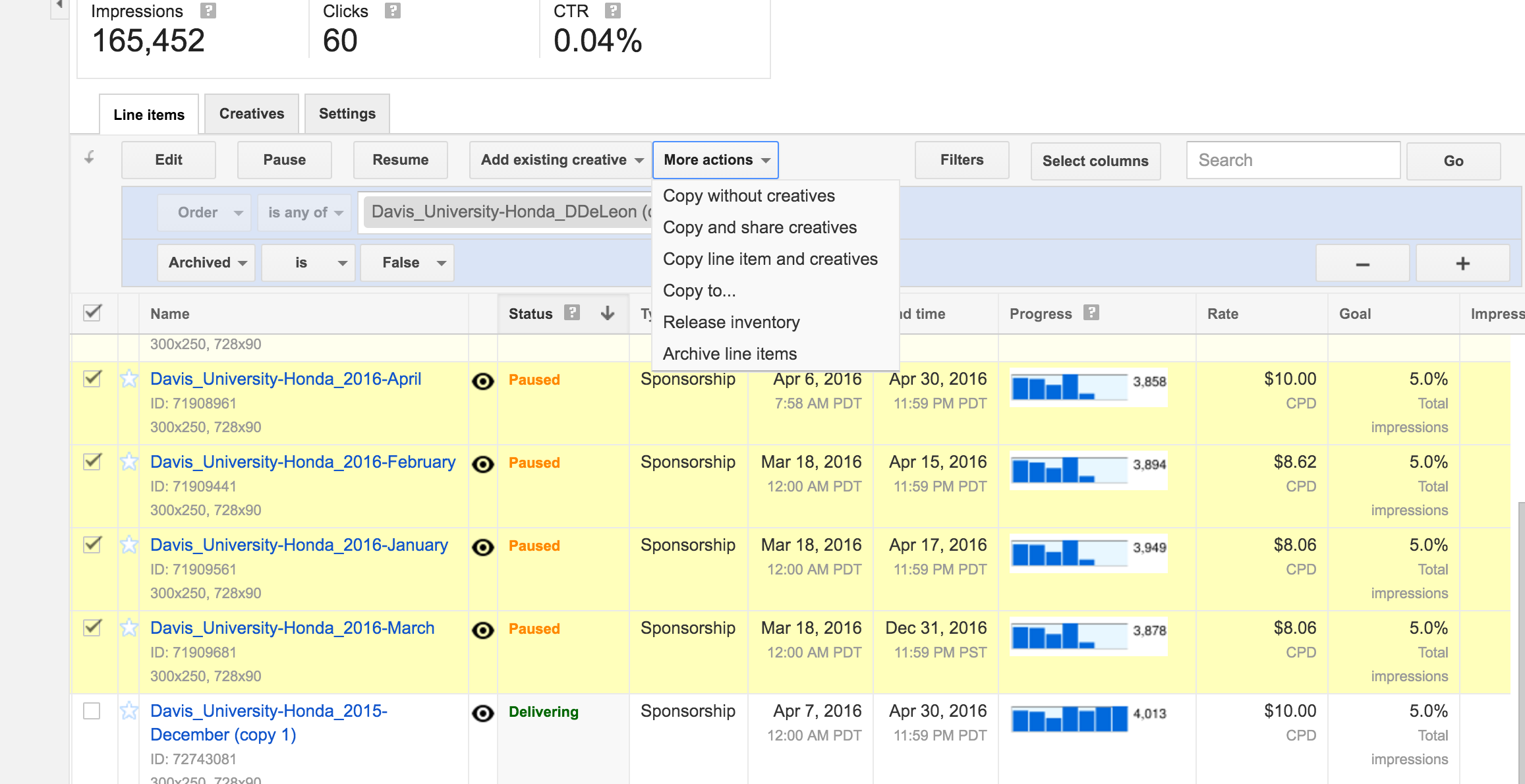
Pro tip: You can also find these same options under the bottom-most "more actions" dropdown on the Order screen, which allows you to apply an action to multiple Line Items in that Order. But be careful! Anything you do to the topmost "More actions" dropdown (such as Archiving) will effect the whole order.
0 Comments