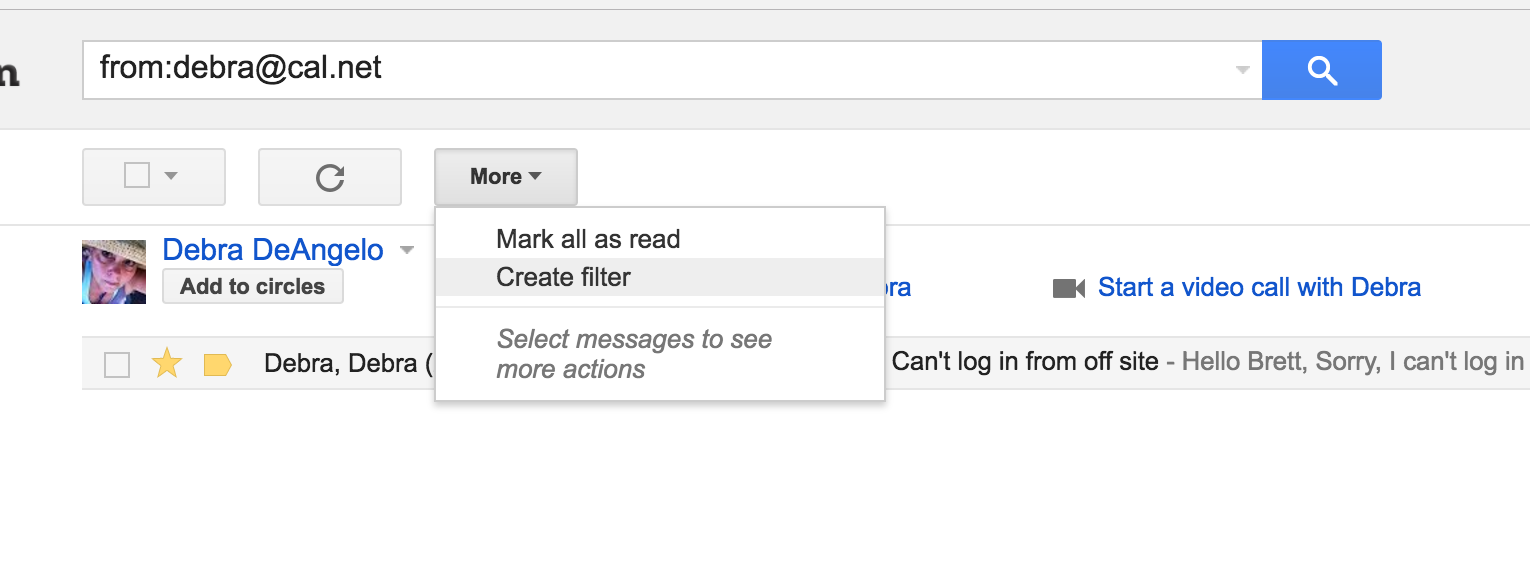
Step 0: Start by searching for all emails from that sender in the Gmail web interface using the special "from:email@domain.com" search query syntax.
Step 1: Click the "More" button then "Create filter"
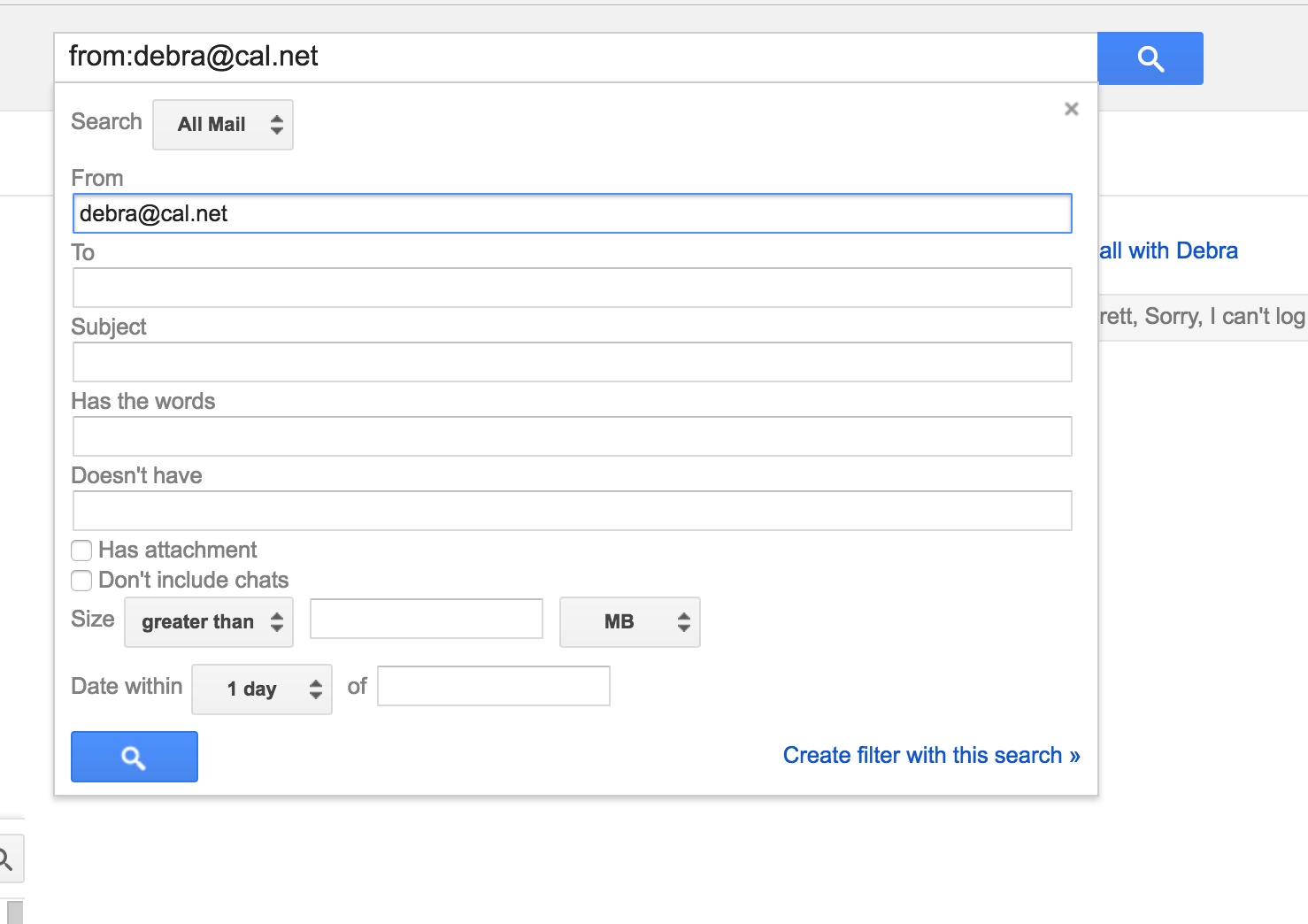
Step 2: Click the "Create filter with this search" link in the bottom right of the panel that drops down.
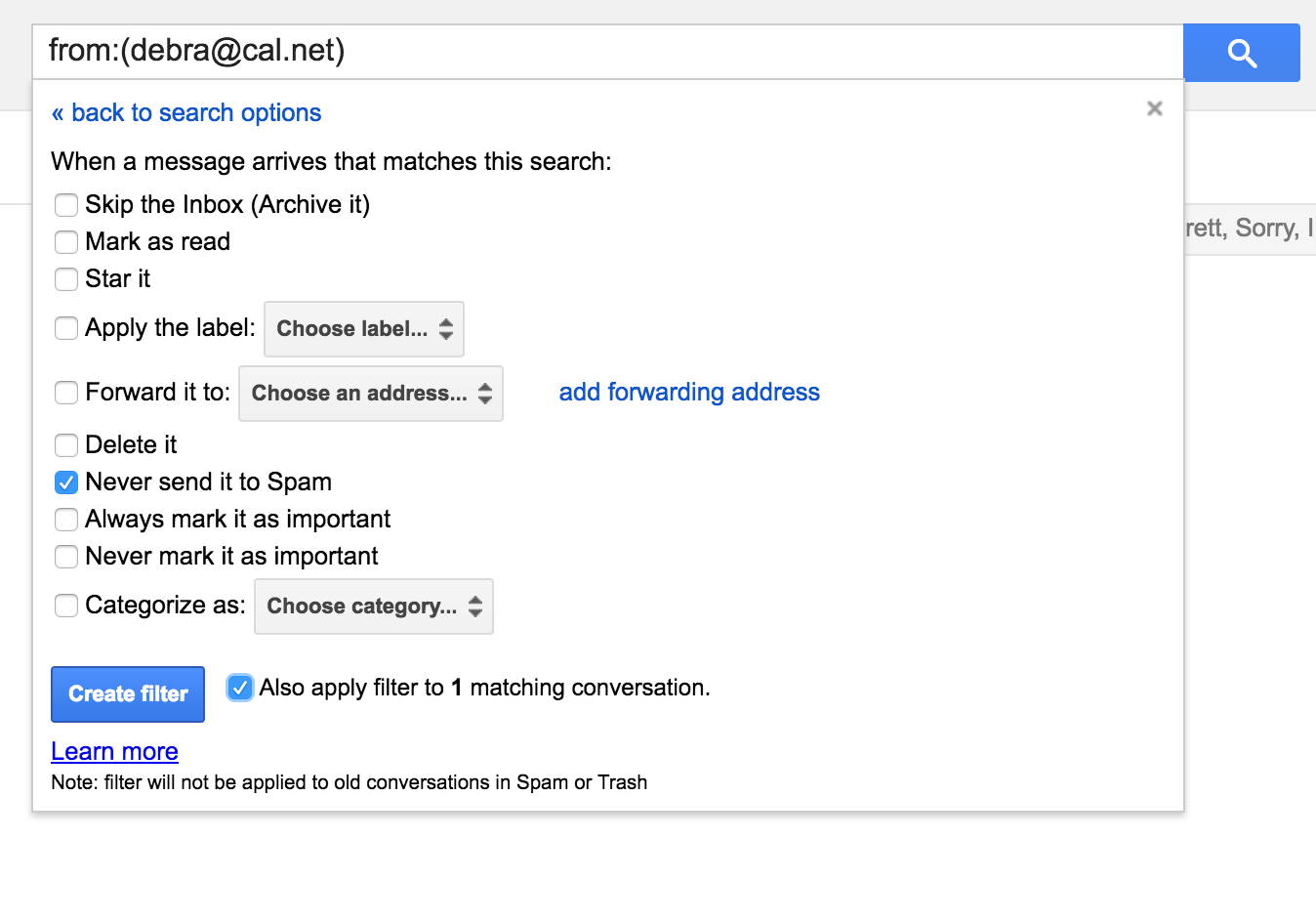
Step 3: Check the "Never send it to Spam" option and click the blue "Create filter" button.
0 Comments