There are two Kodak servers in the server room that run Workflow:
DAVIS:
IP: 192.168.0.211
Hostname: HW32475-42
FAIRFIELD:
IP: 192.168.0.210
Hostname: HW32474-41
Occasionally, it is necessary to reboot the servers. Here is the procedure for starting up the server upon reboot.
1.) Log in as Administrator (see Jeane, Shawn or Systems for the password.)
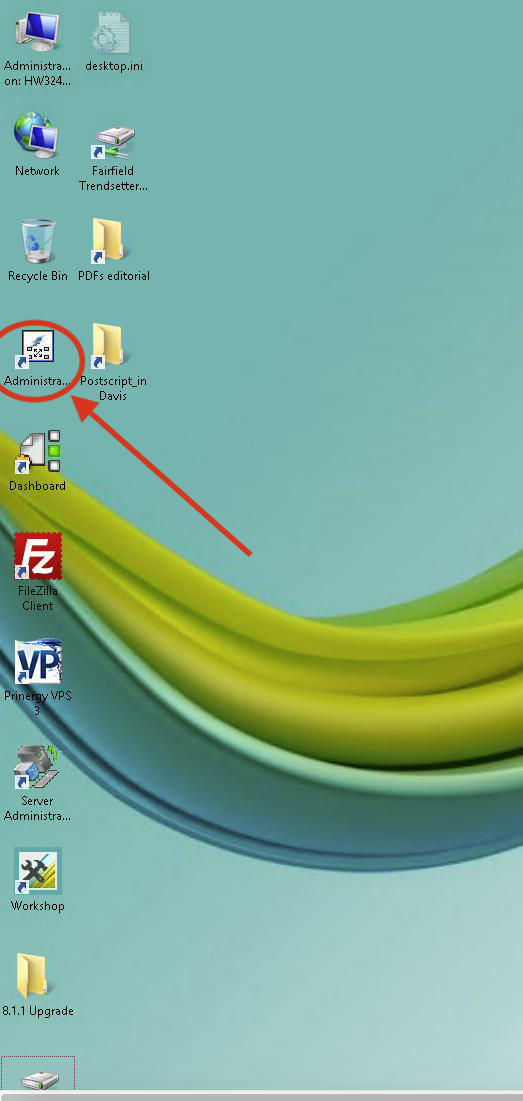
2.) Double-click on the Administrator icon as shown below:
3.) Right-click on the server name (in the left hand pane of the window) and click "Start..."
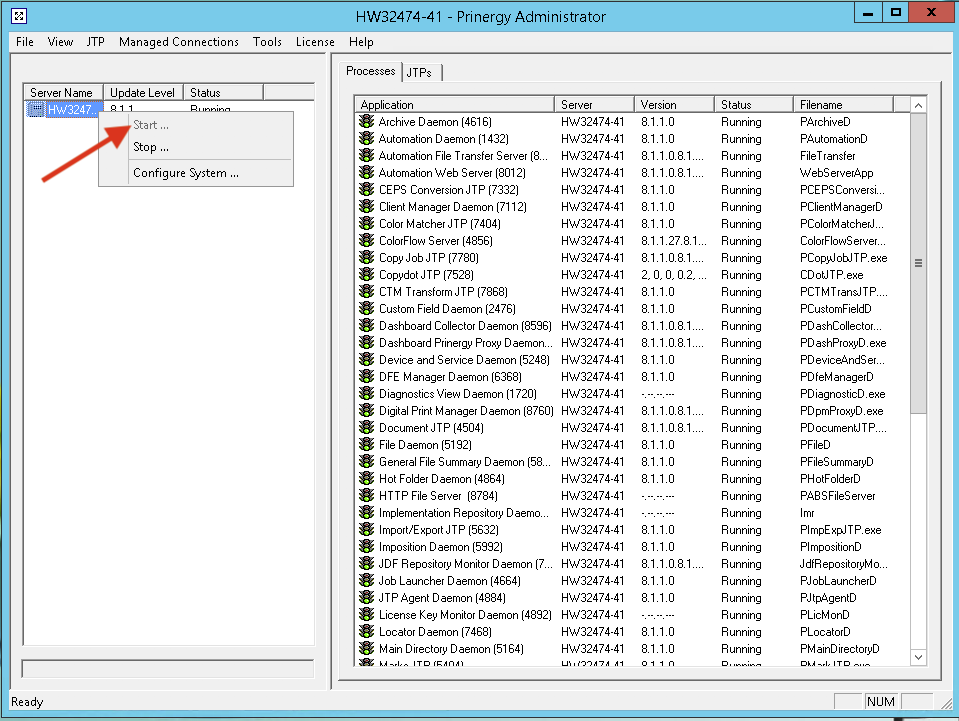
NOTE: The server may take several minutes to start (possibly up to 5 minutes), but when the startup process is completed you will see all the processes running in the right hand pane like in the picture above.
0 Comments