Accounts
Although we share an overall account, employee is to have her own login such that passwords do not have to be shared. As always, passwords should be complex and unguessable. This is financial data, after all.
To request an account, email help@mcnaughton.media
Logging In
There are two easy options to login:
- bookmark and visit https://dashboard.stripe.com/login and it will log you in
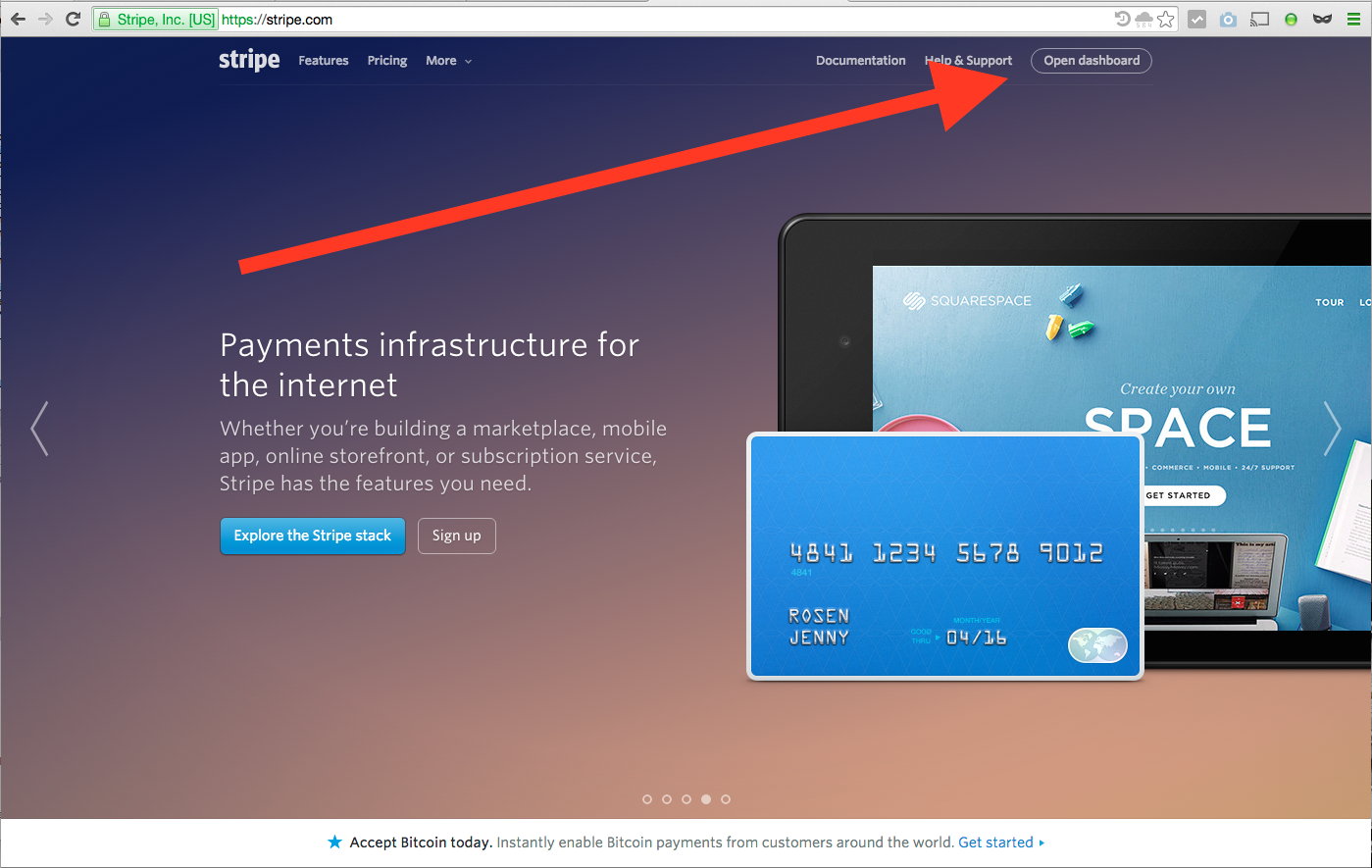
- visit http://www.stripe.com and click the "Open Dashboard" link (see below for where this exists on the page)
Contents
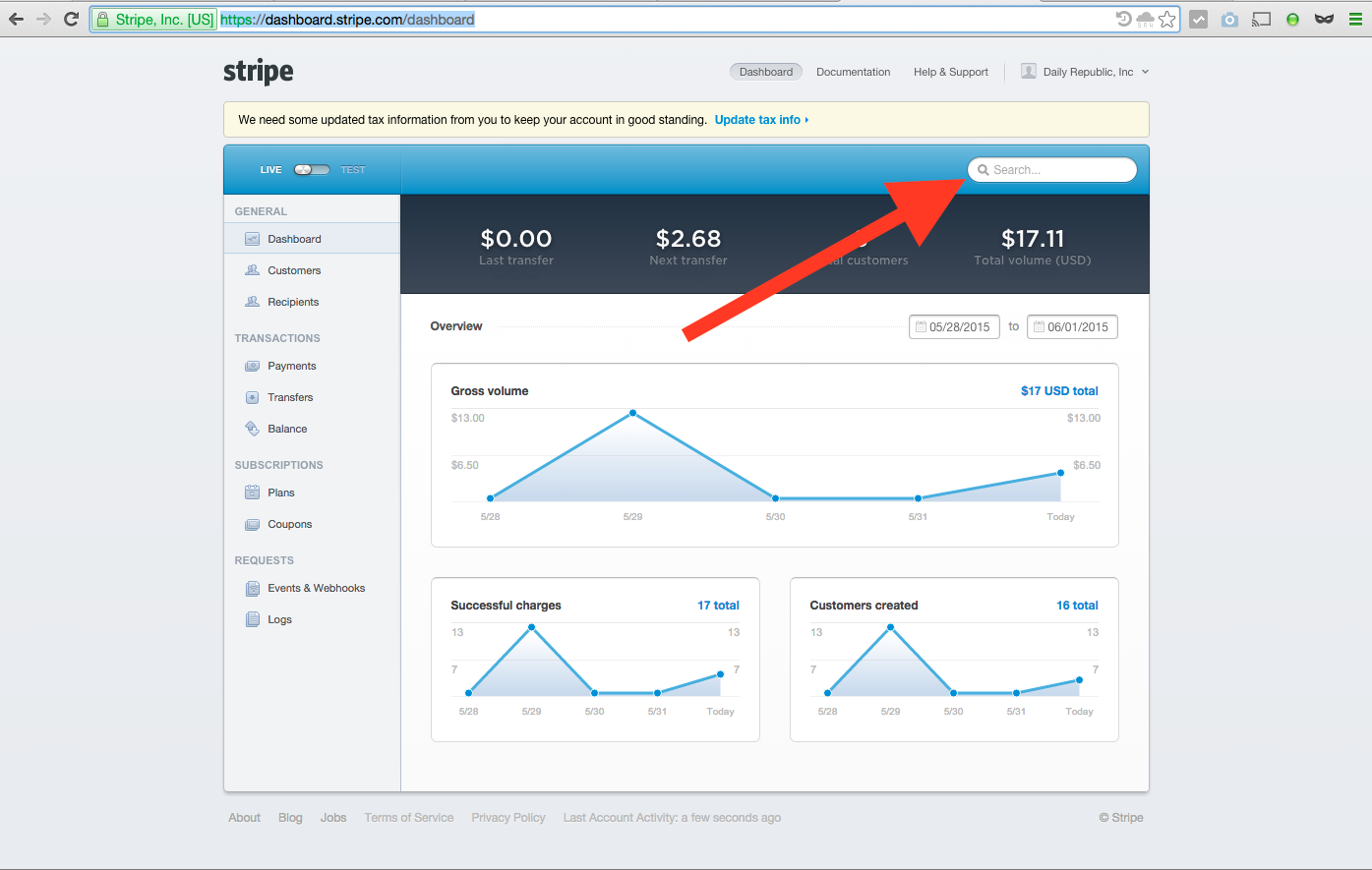
When you arrive you'll land on https://dashboard.stripe.com/dashboard.
There are two main dashboard views we care about: Customers (https://dashboard.stripe.com/customers) and Payments (https://dashboard.stripe.com/payments/overview).
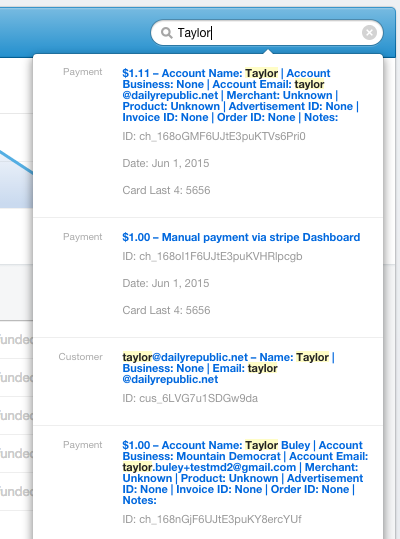
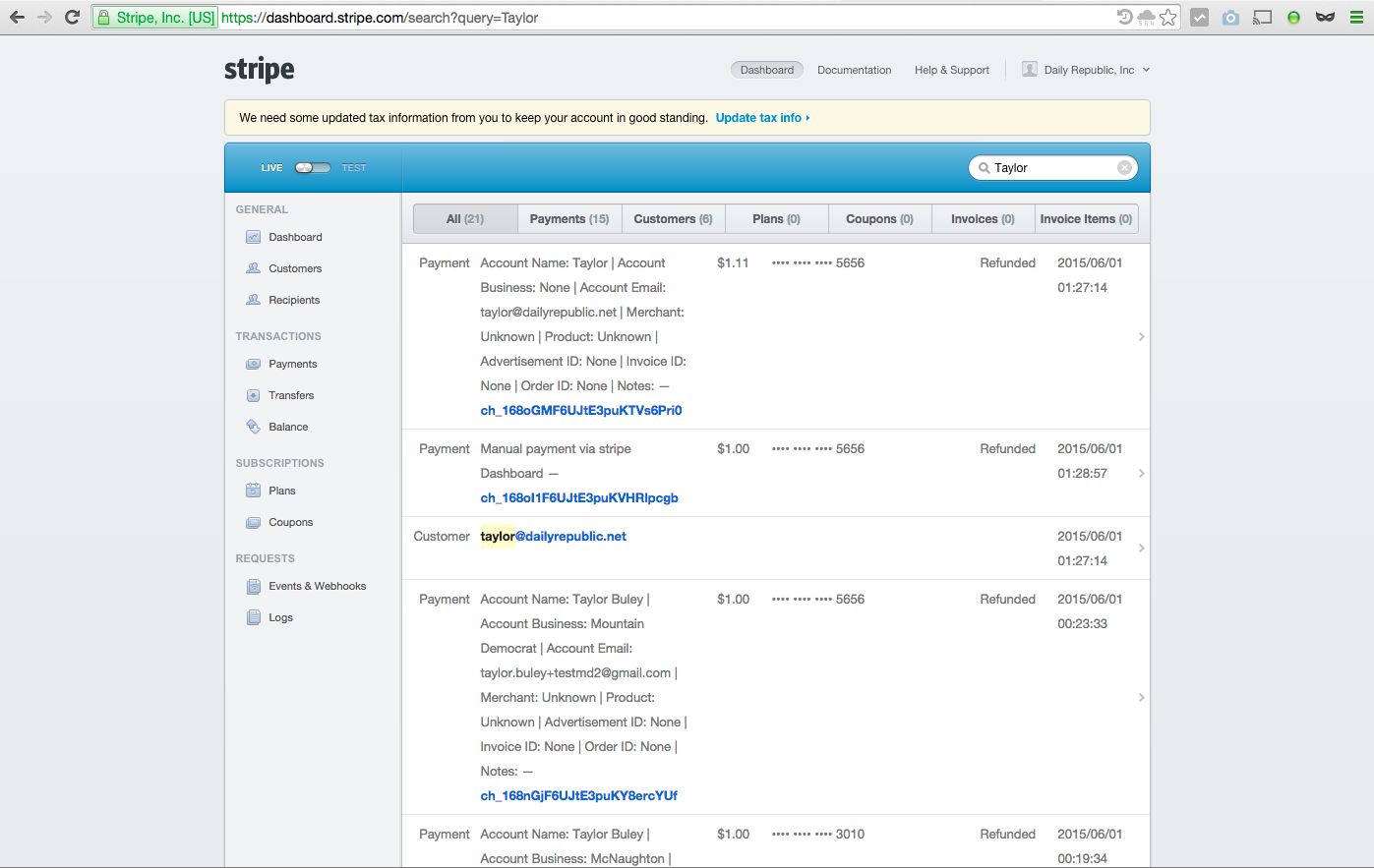
We also care about the Search feature, which lets us search both Customers and Payments. Since these can contain information from the Payment Form, it makes it really easy to use search to find Payment and Customer records. Just an image is included below. See How Do I Lookup An Existing Customer Record? and How Do I Lookup A Payment? for more information on how to use the search feature.
Customers
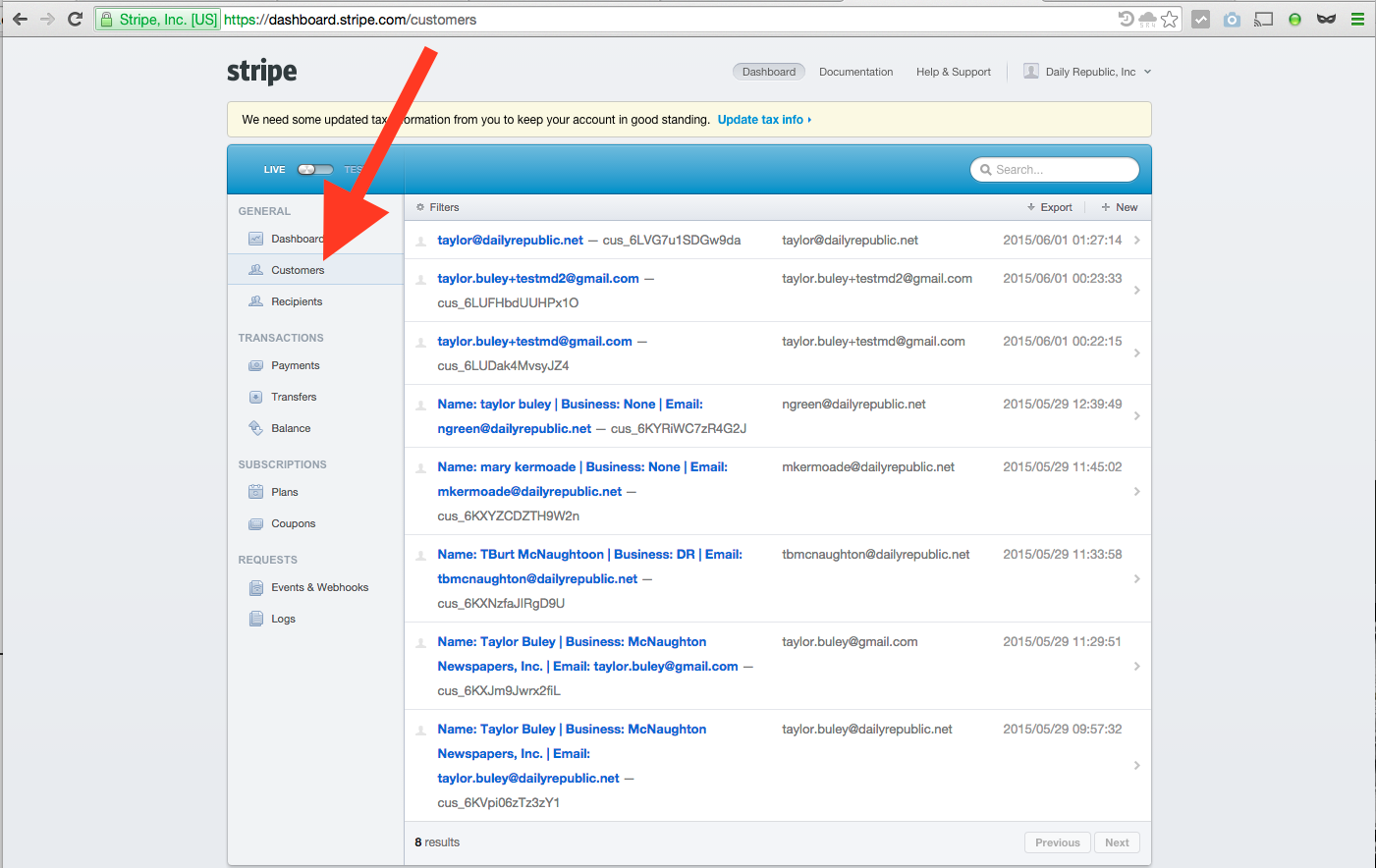
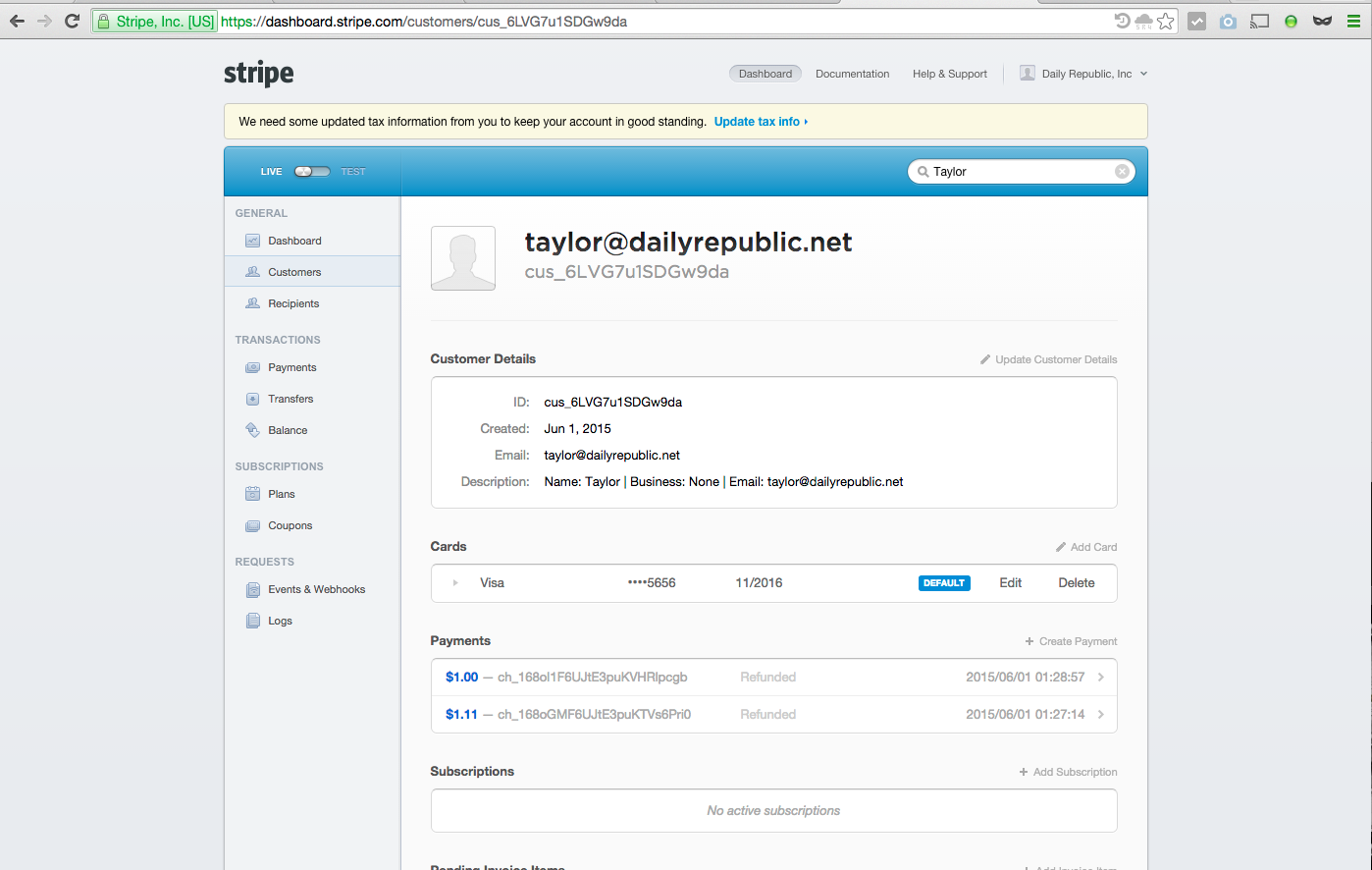
The Customers tab of the Stripe Dashboard lists our customers. If you click on an item, you'll see an individual customer record like the one below. This is where a customer's previous transactions are listed. See How Do I Look Up A Customer Record? and How Do I Look Up A Payment? for more information.
Payments
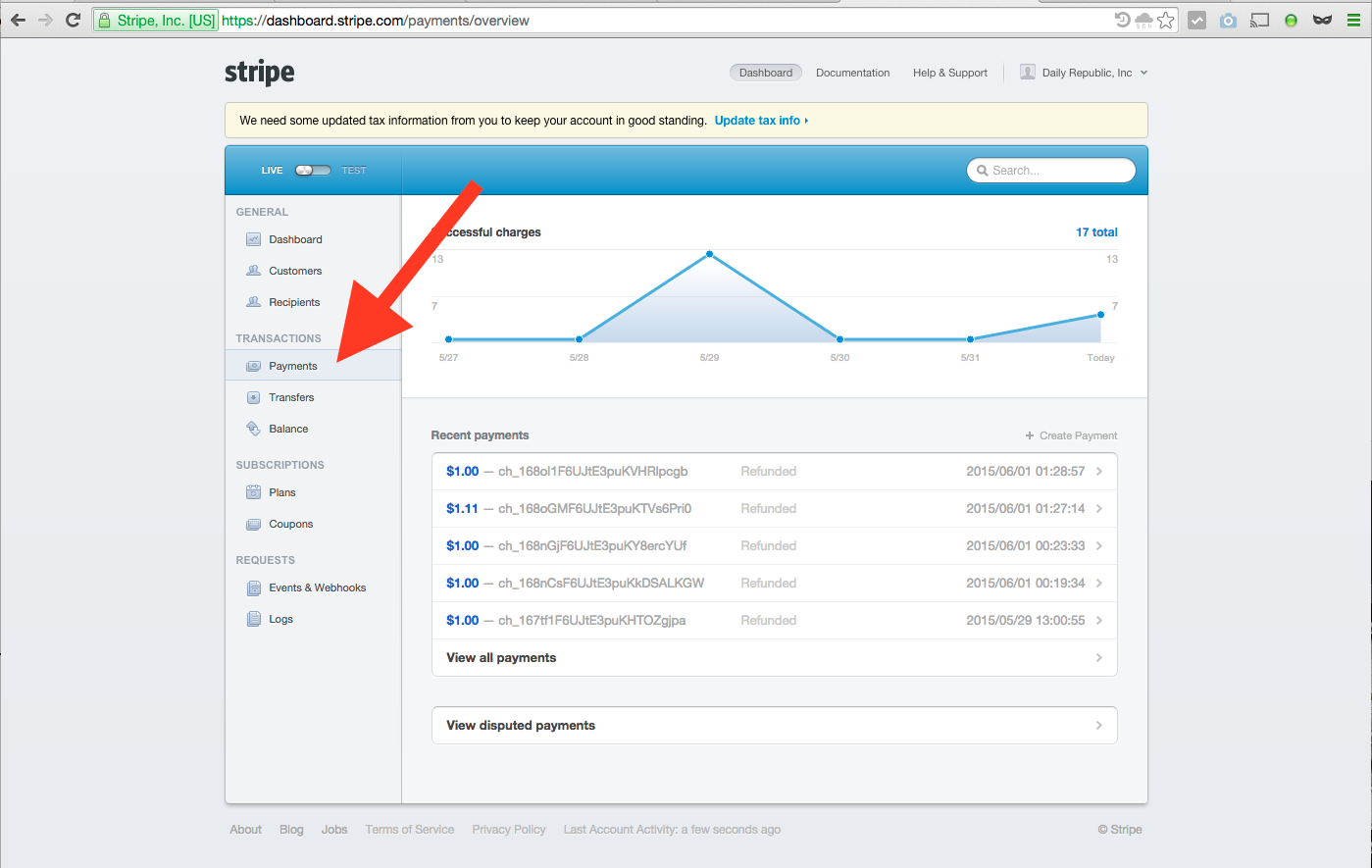
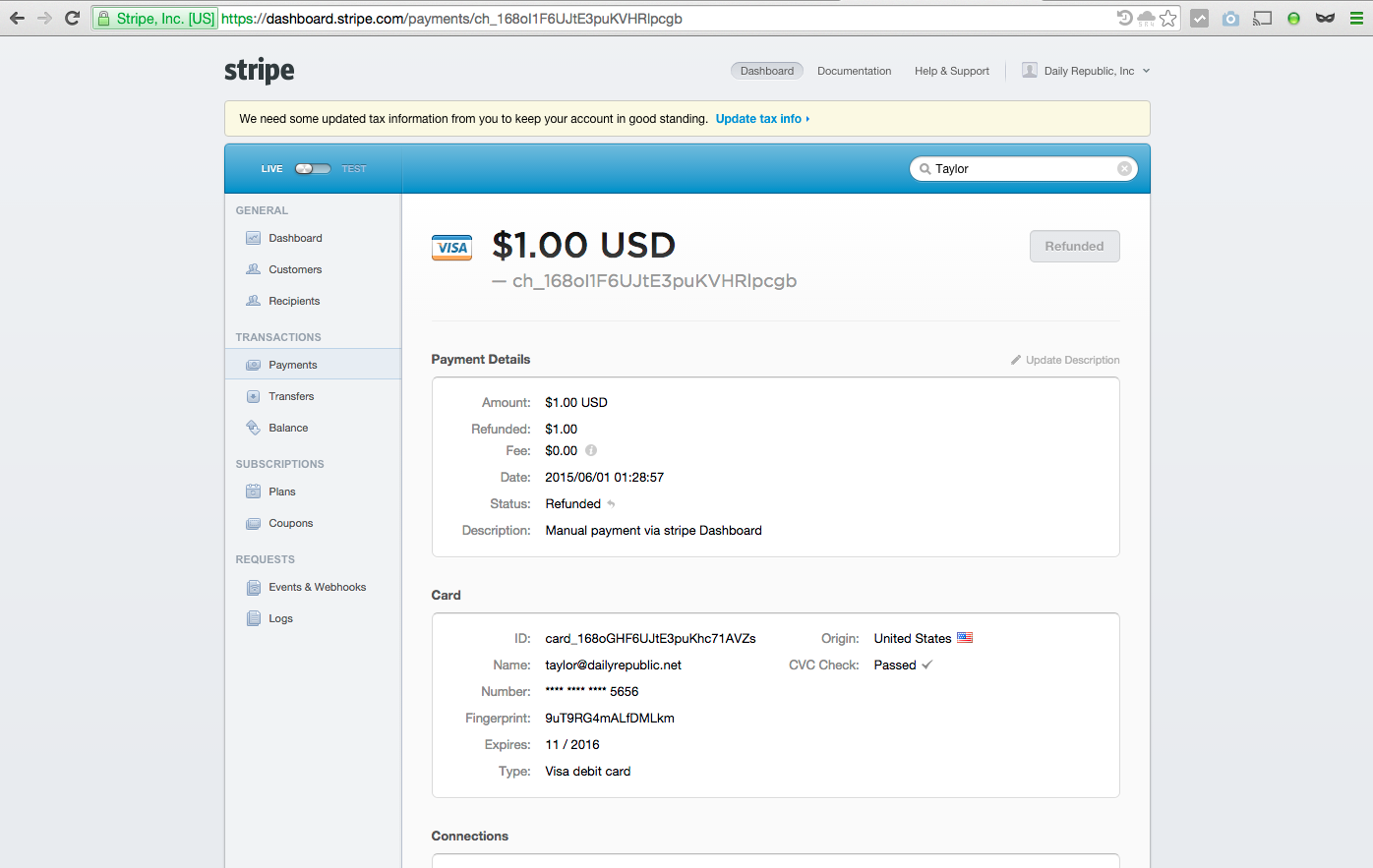
The Payments tab of the Stripe Dashboard lists recent transactions. If you hover over an item, it becomes an easy way to refund it with a couple clicks. Clicking onto a transaction elsewhere shows a page for that individual transaction, as seen below.
This is the same screen you'd see if you used a customer record to lookup a transaction. See How Do I Look Up A Customer Record? and How Do I Look Up A Payment? for more information.
Search
The Search box, which appears in the top right of the Stripe Dashboard, searches both Payments and Customers. Typing gives you "live" results, as seen immediately below. hitting enter will take you to a full results page for deeper search.
0 Comments