Step 0: Did you just follow the steps in How Do I Create An Order? If so, you'll see a screen similar to Step 3 and can start there. Steps 1 and 2 are for adding Line Items to an Order that was created previously.
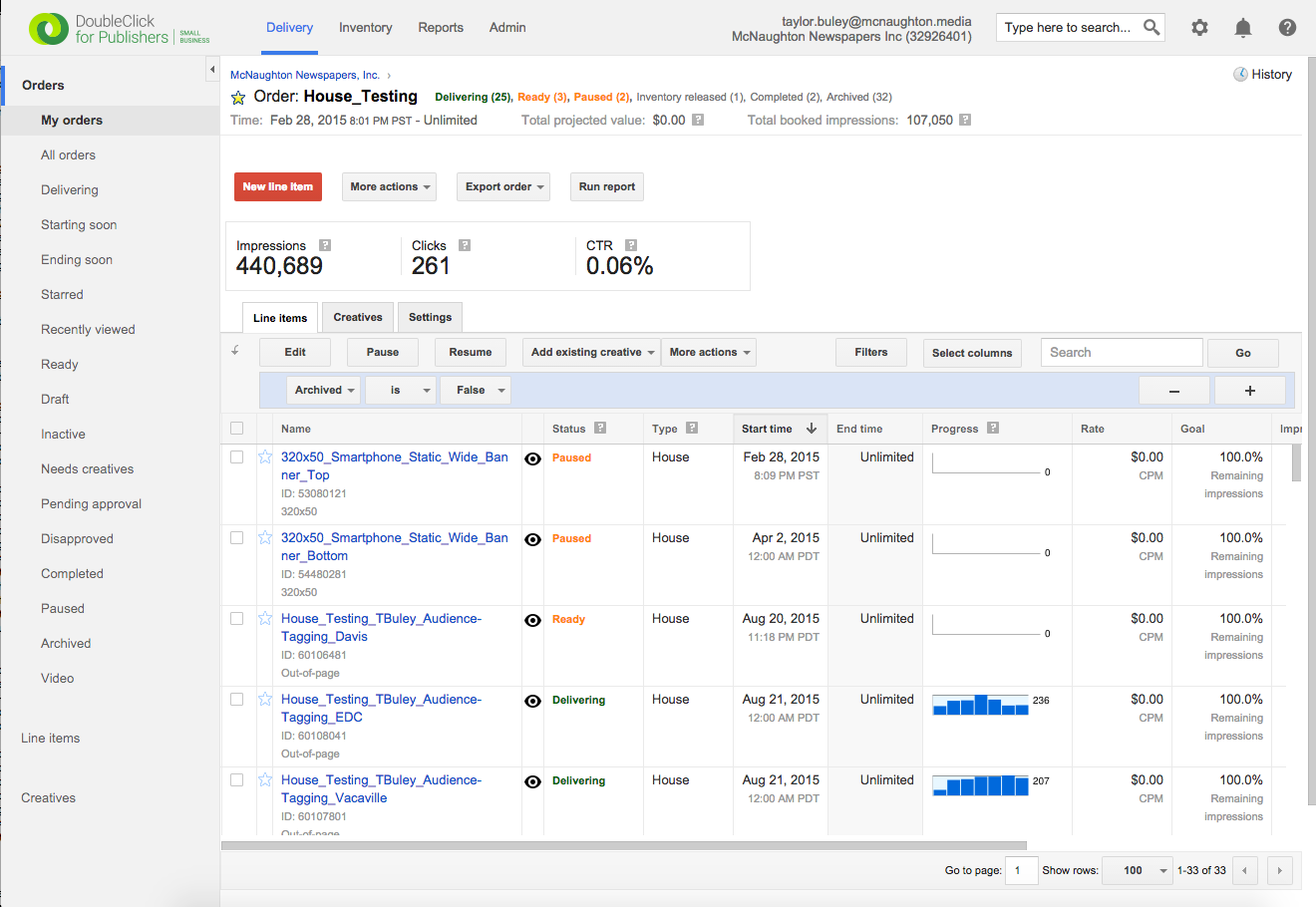
Step 1: Find the Order to which you're adding a Line Item. To do this, you'll likely to have to have created the Order yourself. If you didn't create the Order to which you'd like to add the Line Item, create a new Order and the Line Item along with it.
'
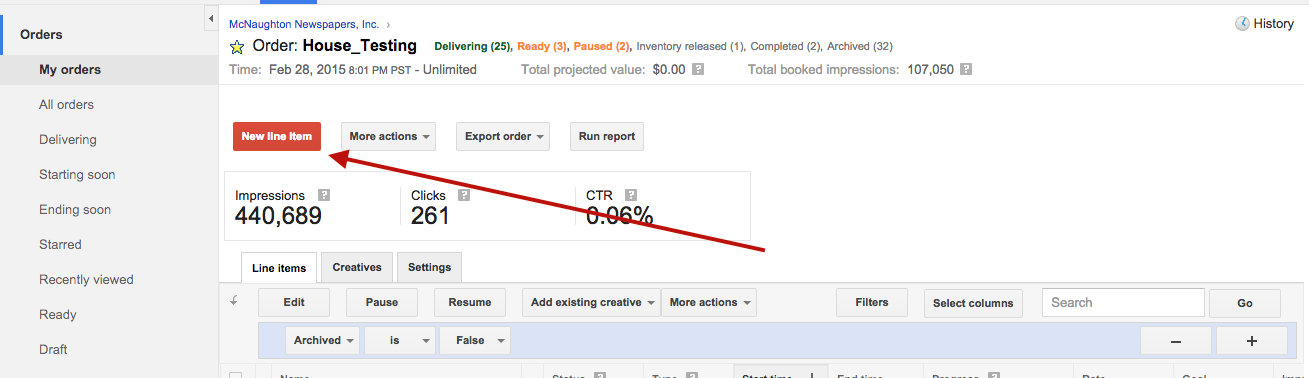
Step 2: Click the red "New Line Item" button.
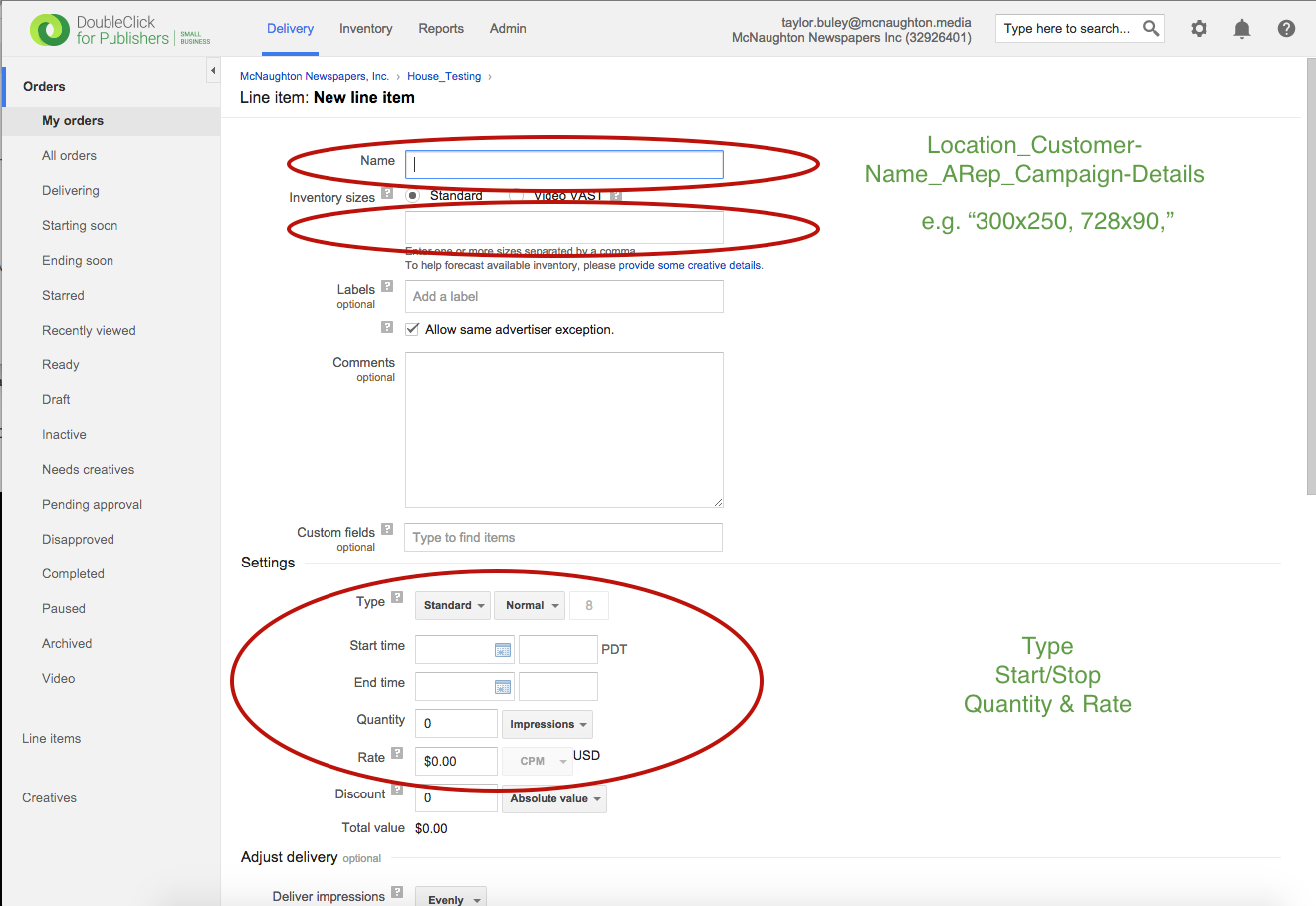
Step 3: Fill Out the Line Item per the deal's RFP. You must fill out the following: Sizes, Settings, Targeting. You should almost always set targeting, and often will want to control the Delivery settings as well, for example with Dayparting or with Frequency Capping.
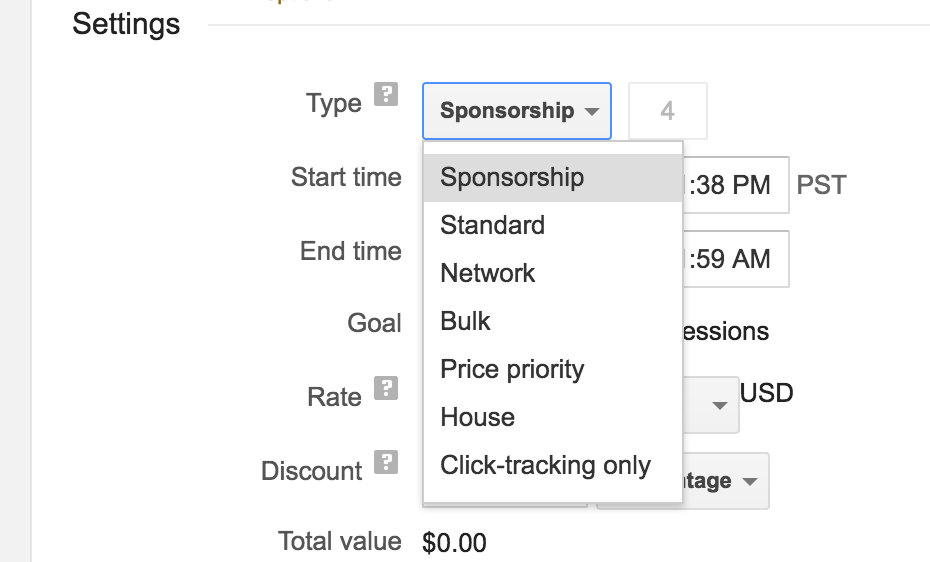
NOTE: If you are creating a House ad, your ad *must* be set to House. The other ones we use are Standard (usually) and Sponsorship (rarely). Use the dropdown pictured below.
A targeting visual is below. Each blue link on the left represents a panel. Here are a couple targeting hints: 1) Geotargeting happens in the Geography tab 2) To target a publication, use "key-values" panel with "pub" as the key and the name of the publication (e.g. "Davis Enterprise") as the value. Content targeting uses the "cat" key with the name of the section (e.g. "Living") as the value.
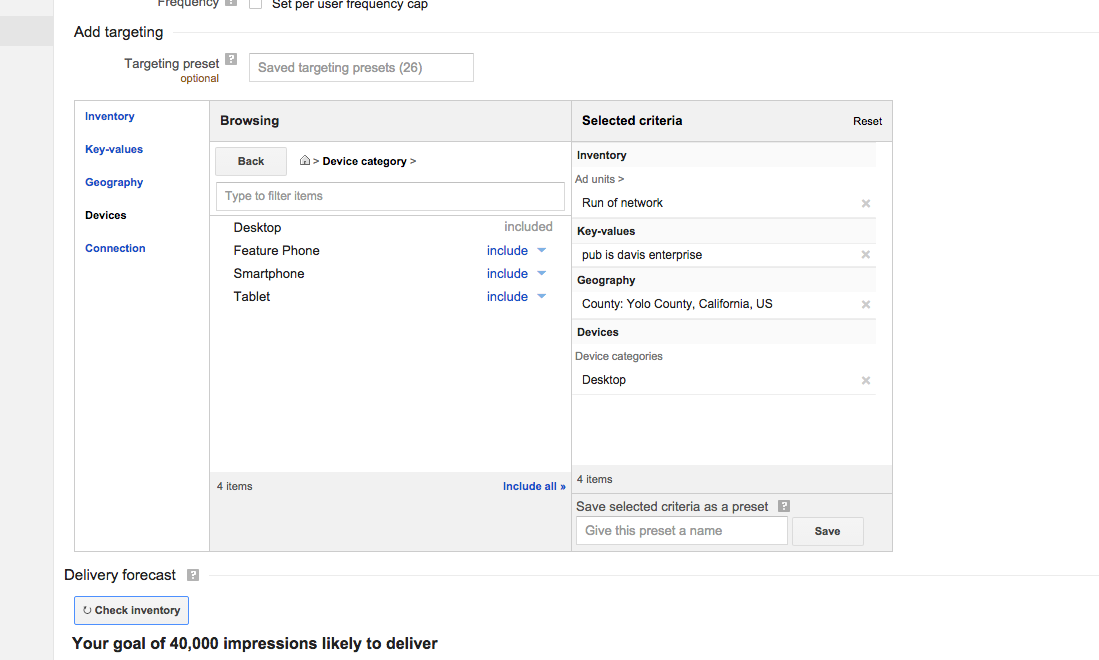
Step 4: Verify the available inventory for your Line Item by clicking the "Check inventory" button. The returned message will explain the availability situation.
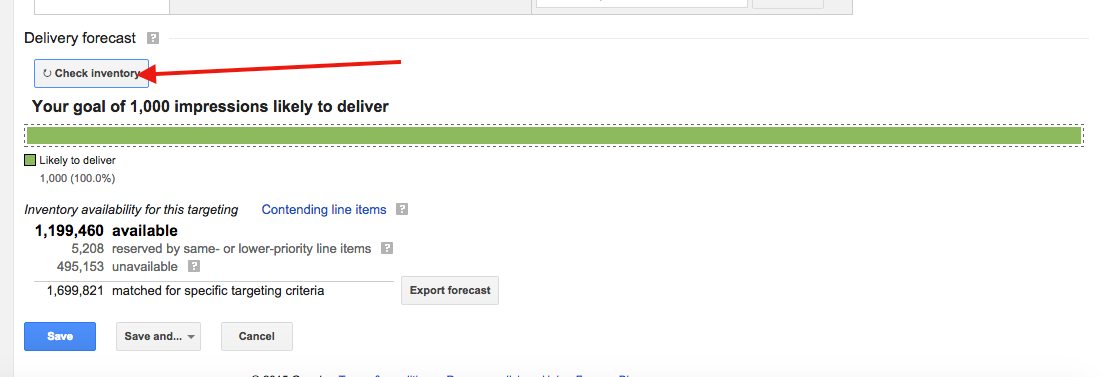
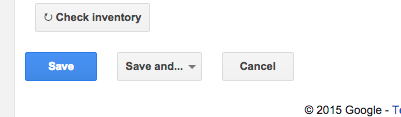
Step 5: Save the Line Item with the blue "Save" button. You may need to submit the Order for Approval via the "More Actions" dropdown on the Line Item screen.
Note the "Status" of the Line Item for more information about what you need to do next. "Draft" means it needs to be booked and submitted for review. "Needs Creatives" means you'll need to attach creatives for each size you've specified. Follow up with How Do I Add Creatives To A Line Item? to attach a creative to your new line item to enable it to go live.
0 Comments