You can (and should likely) process a payment quickly and simply using the Payment Form. You can also create payments from the Stripe Dashboard. Unless you have some reason why you can't or do not want to use a new credit card, you should probably use the Payment Form.
See What Is The Payment Form? for more information about how to find the online payment form and what it is. Follow the steps below to process a new payment.
Payment Form
Using the Payment Form (yourpublication.com/pay e.g. www.dailyrepublic.com/pay) is a quick way to create a new Customer Record if one doesn't exist. Using the provided email required by this form, it uniquely identifies Customer Records and associates the payment with the right Customer Record, as visible via the Stripe Dashboard. Information on how to use this form can be found in What Is The Payment Form?
Stripe Dashboard
You can manually create a Customer Record using the Stripe Dashboard.
Step 1: Go To The Customers View On The Stripe Dashboard
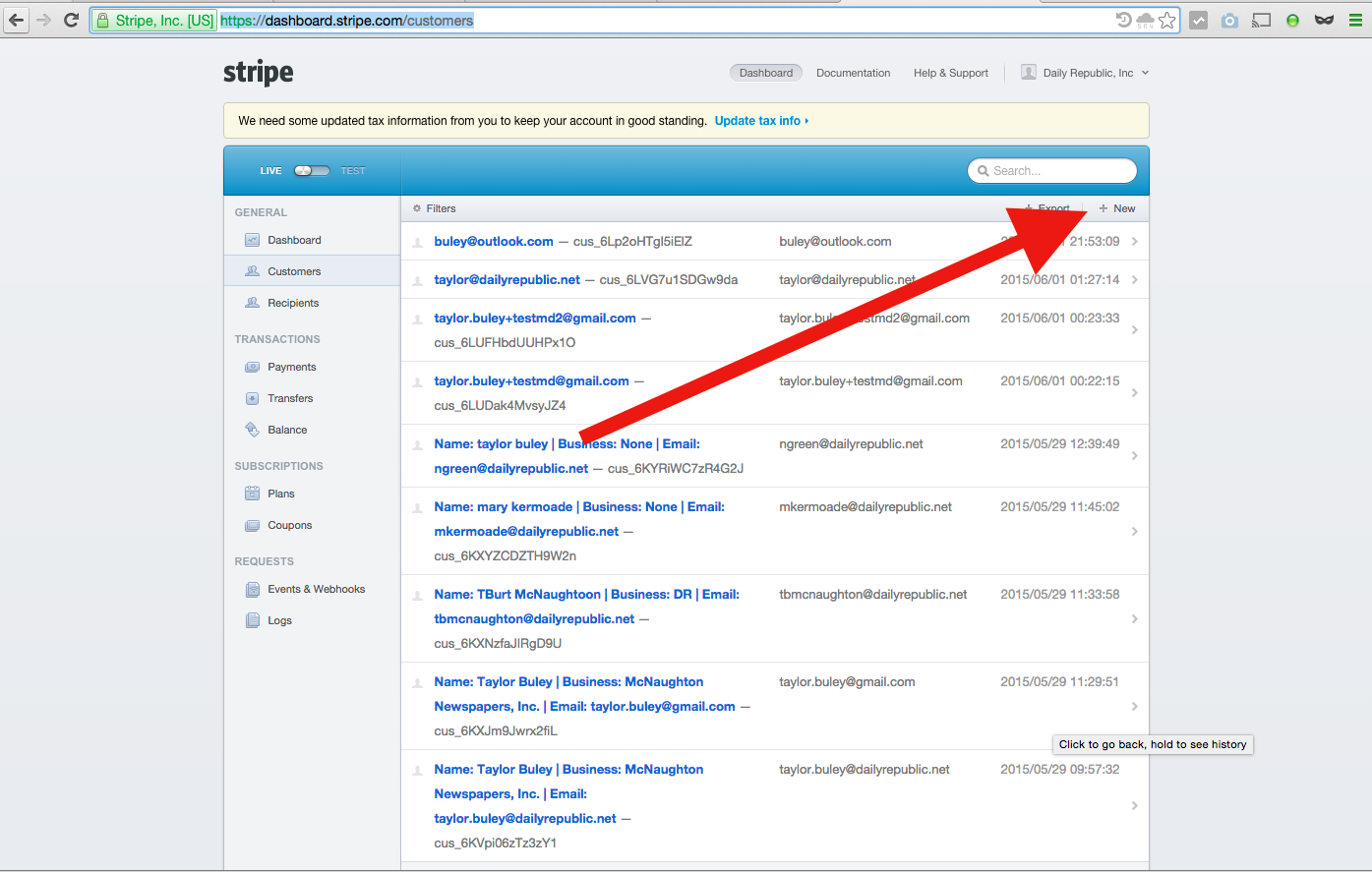
You're creating a new Customer, so Stripe asks you to begin on the Customers view (https://dashboard.stripe.com/customers).
Step 2: Click The "New" Link On The Top Right
Step 3: Fill Out The "Create new customer" Form
Email is used to identify the record and is required. The only other field is Description. This is free-text, but our standard text form for the Description using the Payment Form is "Name: {Person Name} | Business: {Business Name}". Note that "None" should be used if one doesn't apply.
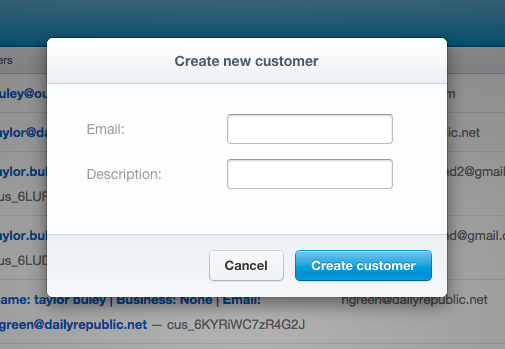
Step 4: Click The Blue "Create customer" Button
0 Comments