You can extend a currently running line item by updating it's ending time to a later date. This is possible only before the item has "completed" - if that's the case, follow these steps instead.
Step 0: Find the Line Item you want to extend. Typically you click into an Order, then into a line item.
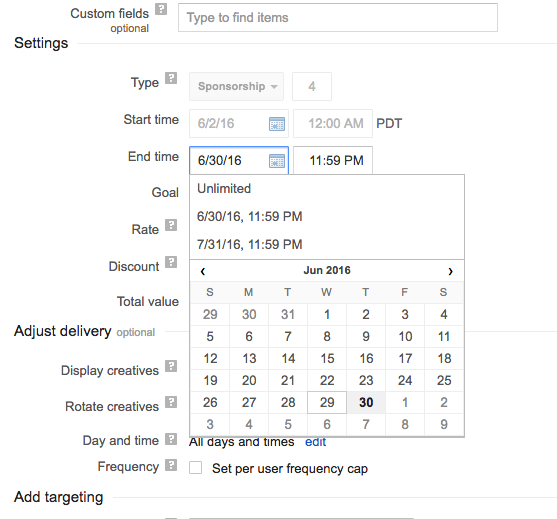
Step 1: Update the "End time" in the Settings area.
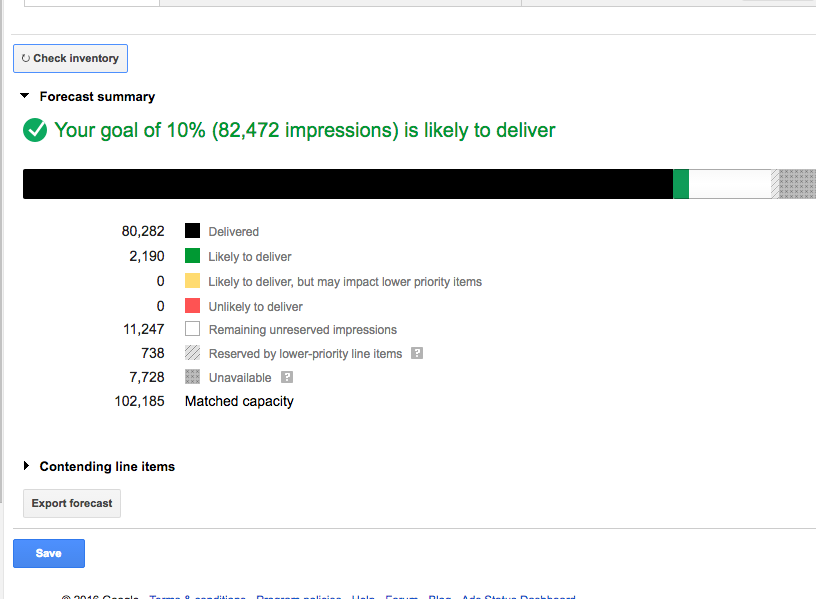
Step 2: Double check inventory via "Check Inventory" button then click the blue "Save" button to save the change.
0 Comments