A Customer Record is a way to group Payments together by individual, organization, or both. Customer records are only viewable from the Stripe Dashboard.
We use Stripe to manage these records, since we use Stripe to manage our payments, but behind the scenes at McNaughton we use WordPress to keep track of what emails belong to what ID in order to may the Payment Form as easy to use as possible.
Payment Form
There is no way to explicitly create a customer record in Stripe using the Payment Form. However, the Payment Form will automatically create a Customer Record (in WordPress) for any email addresses it has never seen before. If you use the Payment Form consistently, it will consistently update the same Customer Record as you use new forms of payments or create new transactions using the same Customer email.
Stripe Dashboard
You can find Customer Records and view them on the Stripe Dashboard. To see a record, you can click on an item in either a search or on the Customer Record list found on the Customers screen of the Stripe Dashboard (https://dashboard.stripe.com/customers). See What Is The Stripe Dashboard? for more information on either feature.
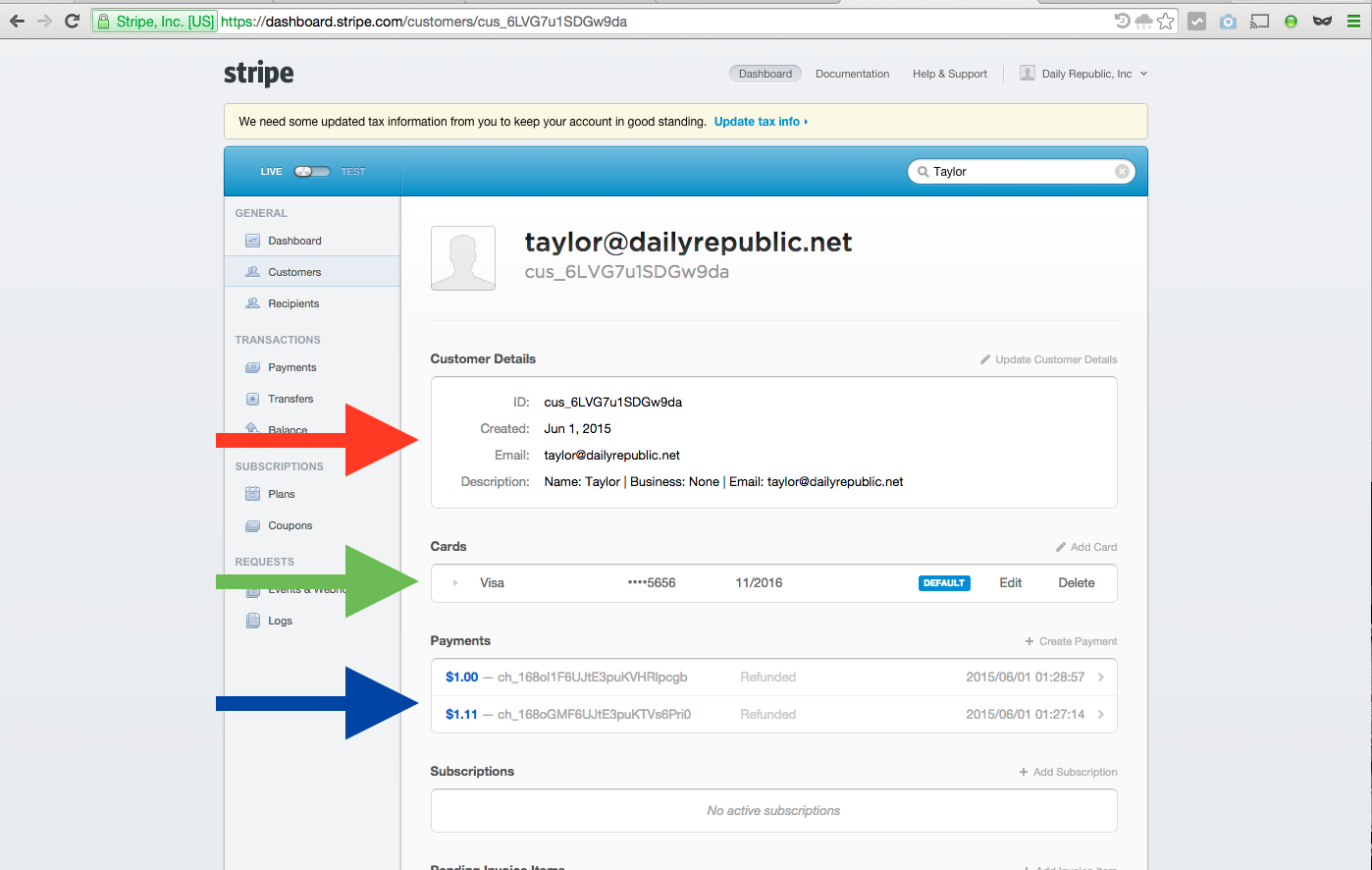
A Customer record contains information about the customer (as seen below with the red arrow), her cards (green arrow) and her payments using those funding sources (blue arrow).
When using the Payment Form, the extra information will contain the email used to identify the customer account and the description field will contain the customer name and business name, if provided on the first transaction. To change this information, a user must be edited via the customer screen found on the Stripe Dashboard and described above.
0 Comments